
Uploaders
An uploader is a key for one program - a screenshot tool, a phone shortcut, a script - that puts files into one of your folders and answers each upload with a link. You make it in filex, where you also choose the folder and what the link opens; the program gets the key and nothing else.
Any program that can send a file as a form works: ShareX (filex makes its settings file for you), curl, PowerShell, an iOS or macOS Shortcut, a Flameshot or Spectacle hotkey through a one-line script.
- Make an uploader
- ShareX
- Other programs
- The link an upload answers with
- The deletion link
- What a key can do
- The upload endpoint
- Managing uploaders over the API
- Moving from the ShareX endpoint
- Troubleshooting
Make an uploader
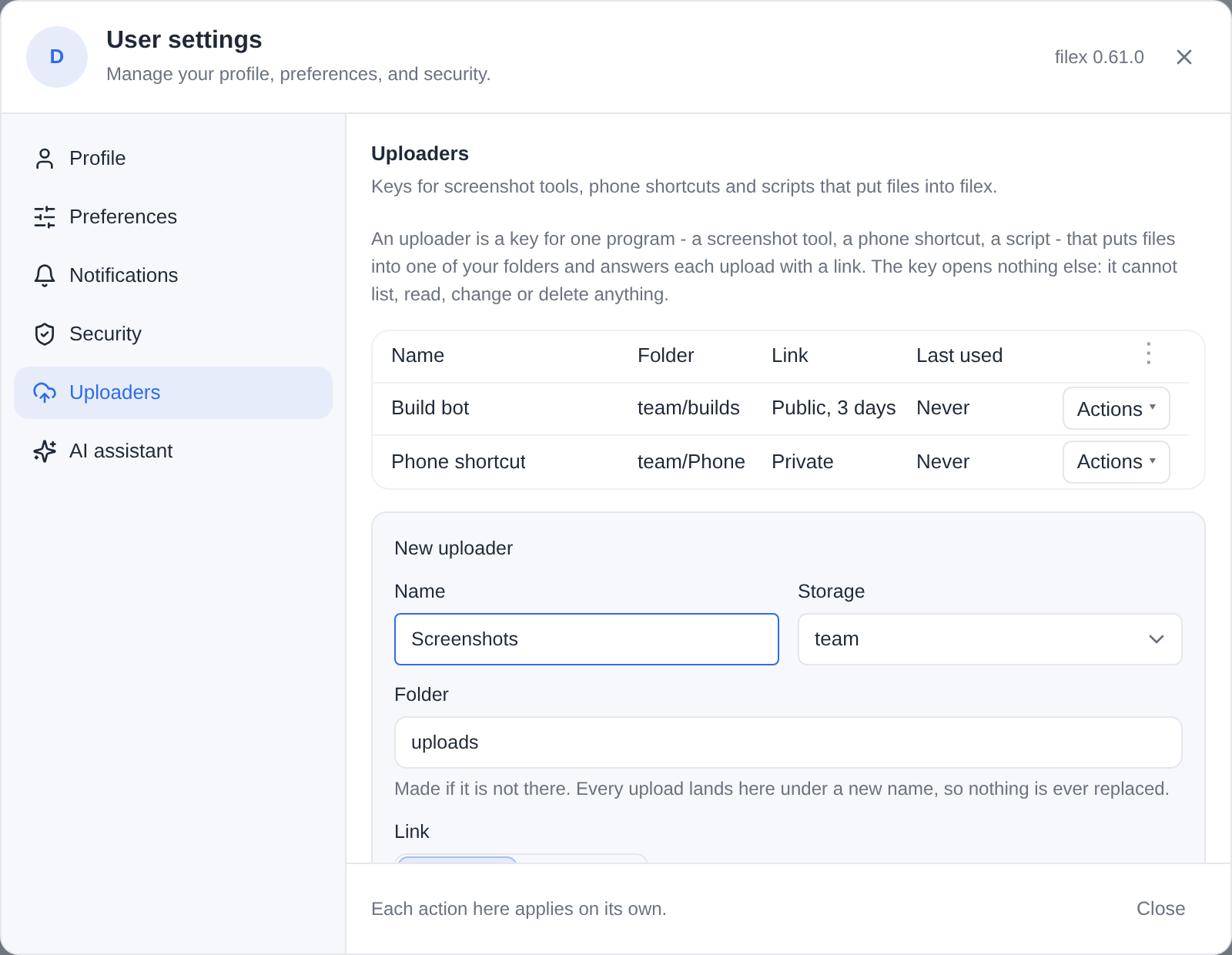
Open Account settings → Uploaders from the avatar menu - the same tab in the web app, the admin panel and the desktop app.
| Field | What it decides |
|---|---|
| Name | What the uploader is called in the list, and in the settings file a program gets. |
| Storage and Folder | Where every upload lands. The folder is made if it is not there (default uploads). Each upload is stored under a new, random-prefixed name, so an upload never replaces a file and never takes over the link of an earlier one. |
| Link | Public link: a share link anybody with it may open, without signing in; images and text open in the browser. Private link: the file in filex, which opens after signing in, for people who may see the folder. |
| Link life | For a public link. Longest allowed follows the server's ceiling (share.max_ttl_days, and your role's own limit if it has one); Days asks for fewer. The form says the ceiling; a longer life is cut to it. Where the server sets no ceiling, Longest allowed means the link does not expire. |
| Short link | Offered only when an app on this server shortens links and you hold its permission (APP-PLUGINS.md → Short links). Its short address answers each upload with the short address the app gives the link; The link itself (the default) answers the link as it is. |
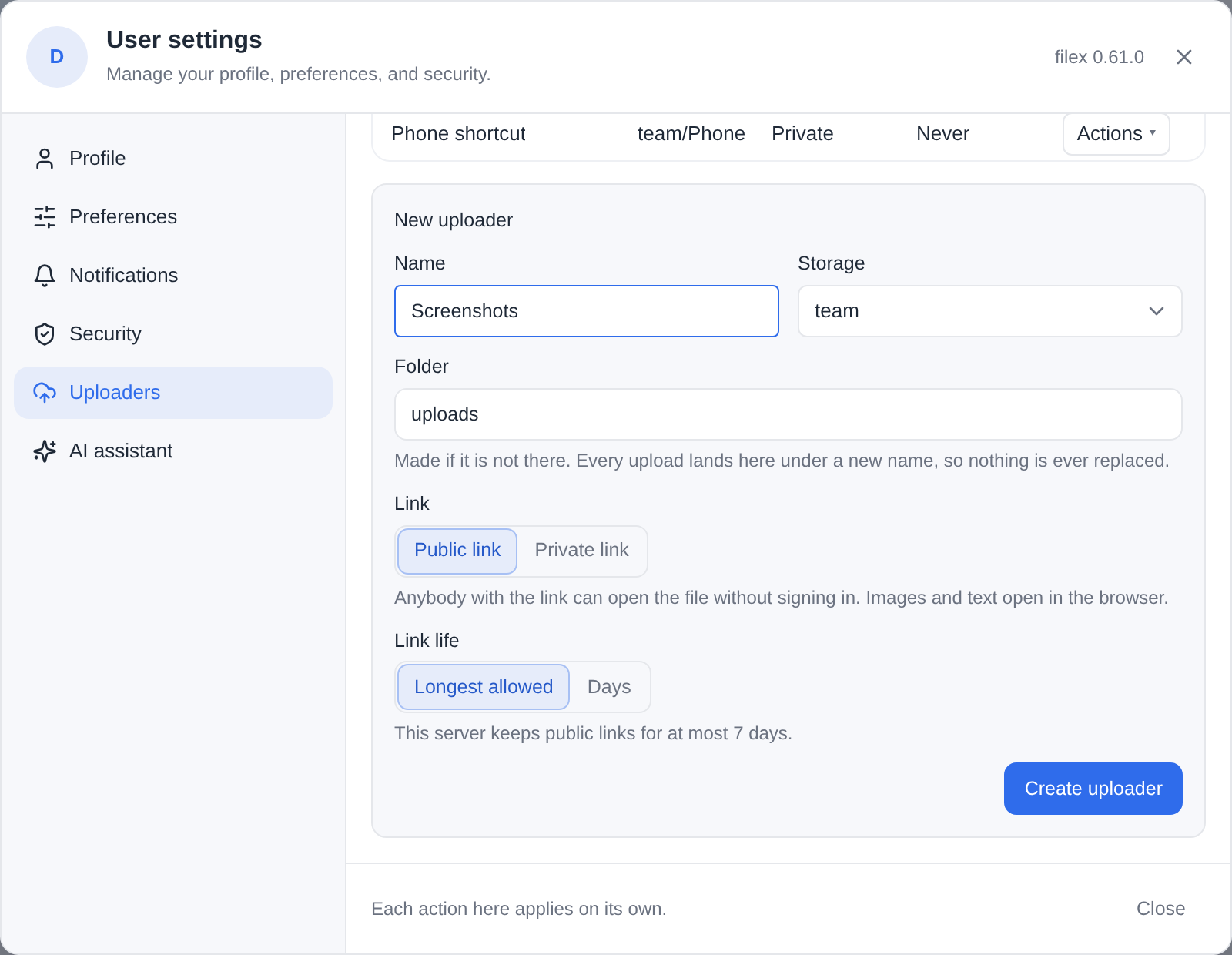
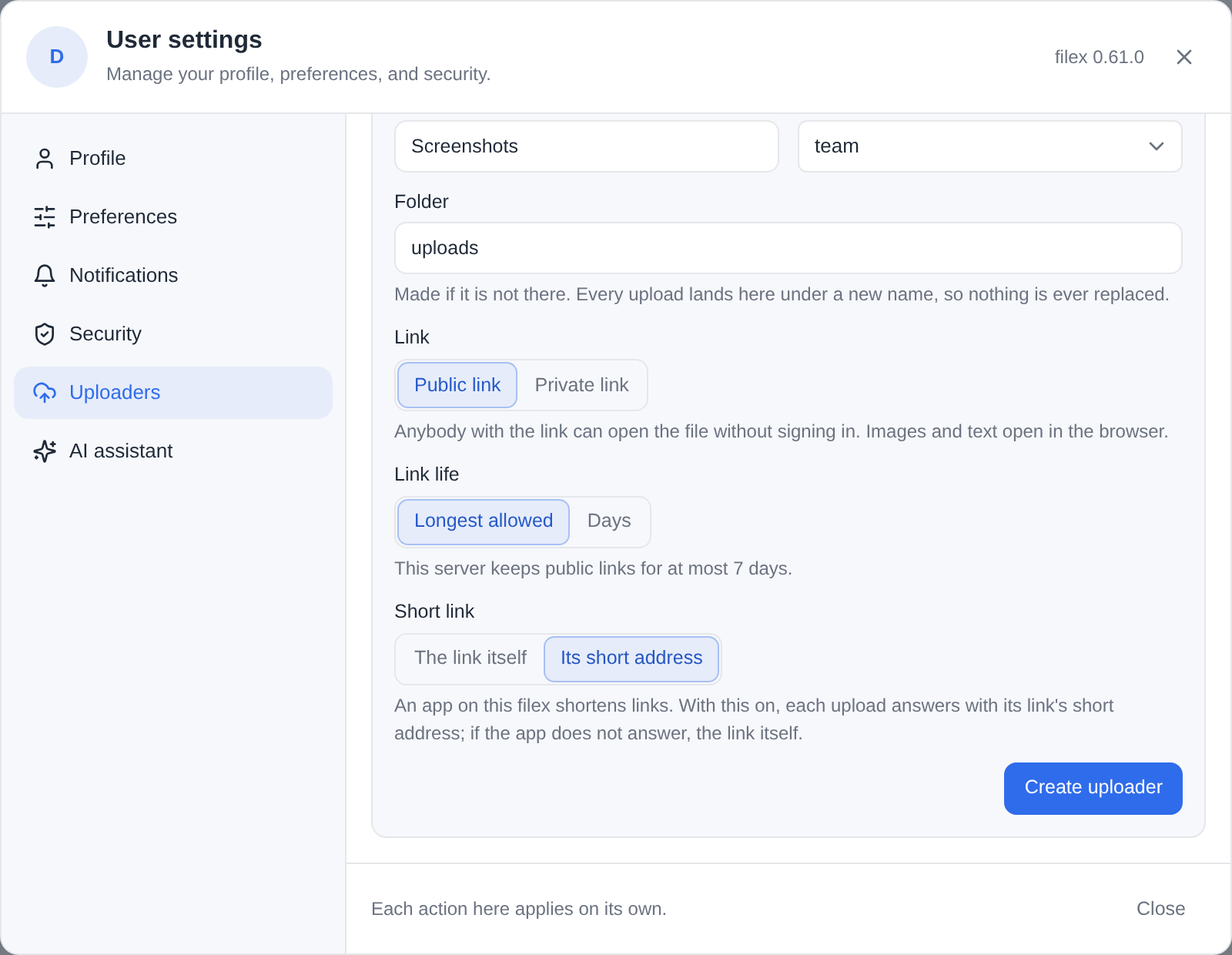
Create uploader shows the key once, with:
- Download ShareX settings (.sxcu) - one ShareX custom uploader for images, text and files, with this server's address and the key in it;
- a
curlline that uploads a file.
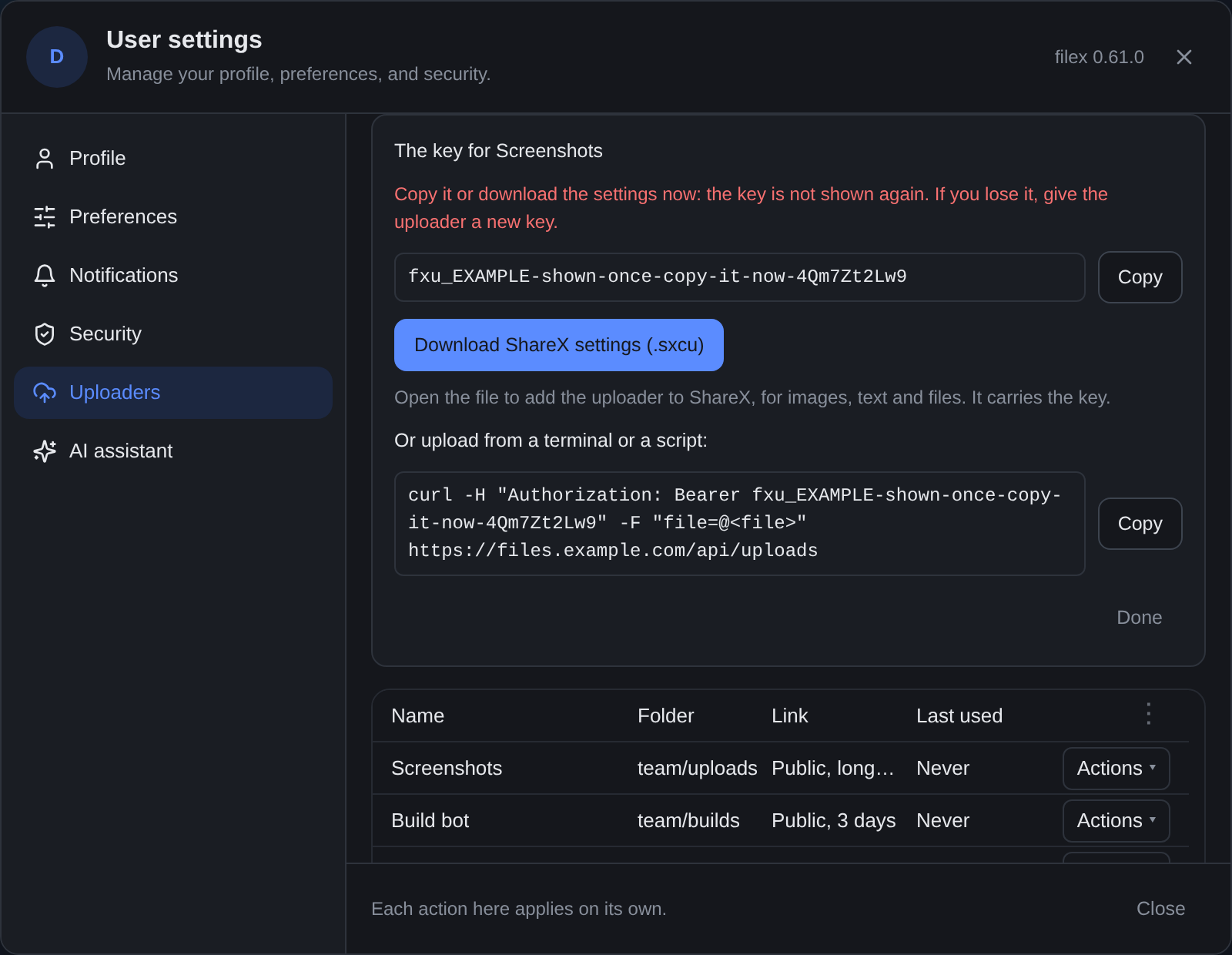
The key is stored as a hash: filex cannot show it again. Lost it? New key on the uploader's row gives it a new one and the old key stops working at once. Edit changes the name, the folder or the link; the key stays. Delete removes the uploader and its key; what it uploaded stays, and so do the links and deletion links it answered with.
Who may make one: an account with the access.api permission (the same permission an API key needs), and share.links for public links - without it, an uploader answers with private links only. The account also needs to be allowed to add files to the folder. (PERMISSIONS.md)
ShareX
- Make an uploader and click Download ShareX settings (.sxcu).
- Double-click the file (or in ShareX: Destinations → Custom uploader settings… → Import → From file…). ShareX adds one uploader, named after yours and the server.
- In Destinations, pick it for Image uploader, Text uploader and File uploader (Custom image/text/file uploader).
Capture as usual: the link goes to your clipboard, and ShareX's history keeps the link, a thumbnail (for an image) and the deletion link.
The file is ordinary ShareX JSON. What it sends and reads:
{
  "Version": "17.0.0",
  "Name": "Screenshots (files.example.com)",
  "DestinationType": "ImageUploader, TextUploader, FileUploader",
  "RequestMethod": "POST",
  "RequestURL": "https://files.example.com/api/uploads",
  "Headers": { "Authorization": "Bearer fxu_…" },
  "Body": "MultipartFormData",
  "FileFormName": "file",
  "URL": "{json:url}",
  "ThumbnailURL": "{json:thumbnail_url}",
  "DeletionURL": "{json:deletion_url}",
  "ErrorMessage": "{json:error}"
}
⚠ The file carries the key. Treat it as you would a password; if it leaks, give the uploader a new key (the old file stops working) or delete it.
Setting ShareX up by hand. filex.sxcu is the same file with placeholders instead of an address and a key, for any filex server: a key you made over the API, or a setup guide of your own. Import it as above, then in Custom uploader settings replace YOUR-FILEX-HOST in the Request URL with your server's address (and its path, when filex is served under one) and fxu_YOUR_KEY in the Authorization header with the uploader's key. The placeholders are plain text on purpose: ShareX's {prompt:...} does not ask once at import, it opens a box at every upload.
Other programs
Every program sends the same request: a POST to /api/uploads with the file in a multipart field named file and the key as a bearer.
curl (the line the form gives you):
curl -H "Authorization: Bearer $KEY" -F "[email protected]" https://files.example.com/api/uploadsPowerShell 7:
Invoke-RestMethod -Method Post -Uri https://files.example.com/api/uploads `
  -Headers @{ Authorization = "Bearer $env:FILEX_UPLOADER_KEY" } `
  -Form @{ file = Get-Item .\shot.png }
Flameshot (Linux), bound to a hotkey: the screenshot goes straight from the capture to filex, and the link to the clipboard.
flameshot gui --raw | curl -s -H "Authorization: Bearer $KEY" \
  -F "file=@-;filename=screenshot.png" https://files.example.com/api/uploads \
  | jq -r .url | xclip -selection clipboard
iOS / macOS Shortcuts: Get Contents of URL with method POST, a header Authorization = Bearer <key>, request body Form, one field file of type File; then Get Dictionary Value url and Copy to Clipboard.
The link an upload answers with
| The uploader's link | url in the answer | Who can open it |
|---|---|---|
| Public | https://files.example.com/s/<token>?inline=1 - a share link; ?inline=1 makes an image or a text file render in the browser instead of downloading (an HTML or SVG file renders sandboxed, without scripts) | anybody with the link, until it expires or is revoked |
| Private | https://files.example.com/drive/explore?select=<storage>://<path>#<storage>/<folder> - the explorer, opened on the folder with the file selected | whoever signs in and may see the file there; nobody else |
A public upload's link is listed in My shares like any link you make, and may be revoked there. It follows its creator as every link does (SHARING.md): an account that may no longer make links, or is switched off, closes it.
thumbnail_url is in the answer for a public upload of an image (it is the same link); a private upload has none, because a thumbnail would need a sign-in too.
Short link on: url is the short address the shortening app gives the link (https://l.example.com/k3Fz9q, for one), made for the uploader's owner and kept by the app; thumbnail_url and the deletion link stay filex's own. A shortener that is busy, failing or gone never fails an upload: the answer then carries the link itself. Turning the switch off, or the app being removed, changes only the uploads after it.
The deletion link
Every upload's answer carries a deletion_url, https://files.example.com/x/<token>. Whoever holds it may delete that one file: it goes to its owner's trash (and can be restored from there), and its public link is revoked.
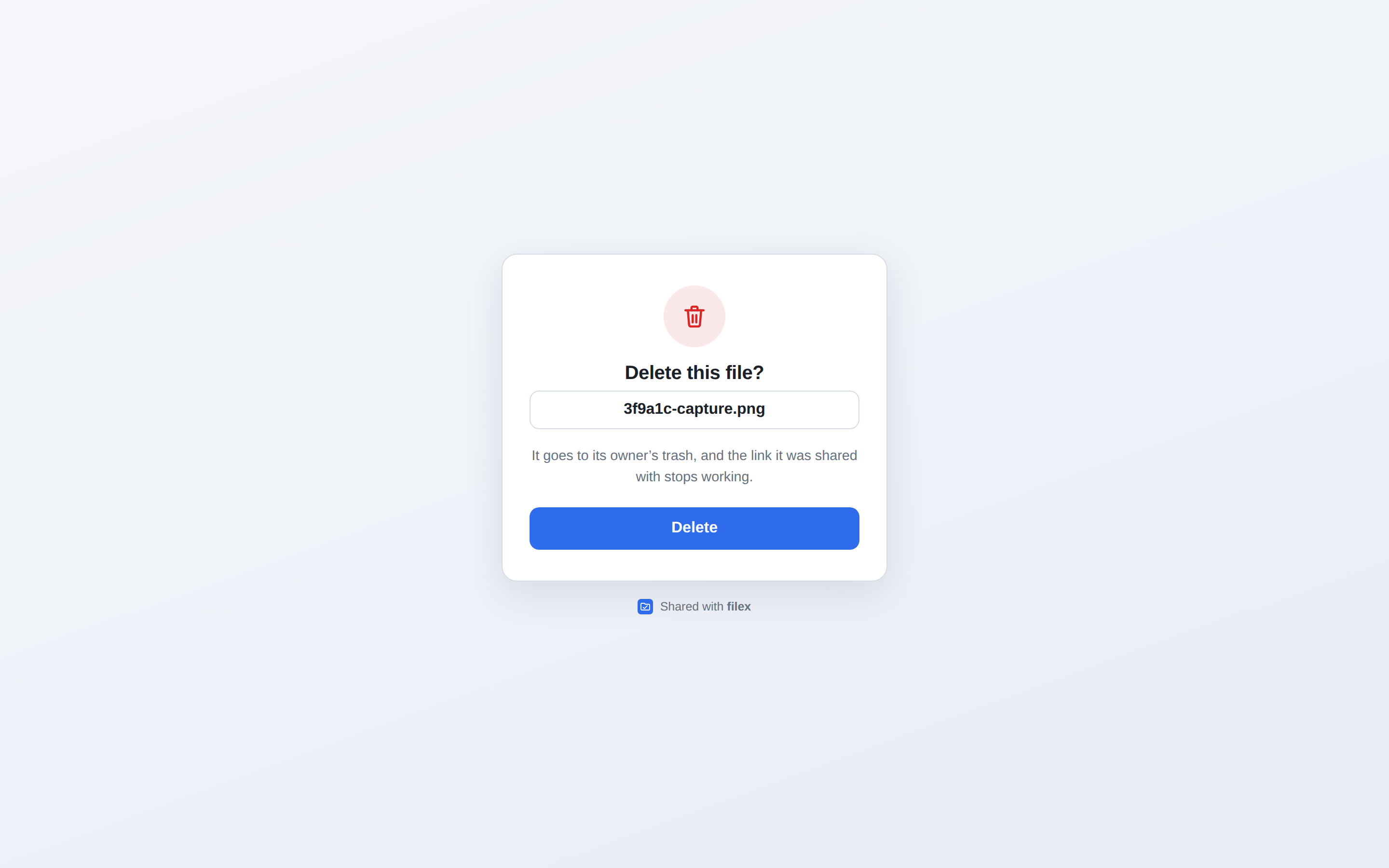
- Opening the link never deletes. Chat apps and mail scanners fetch every link they are shown to draw a preview, so a
GETanswers a small page with the file's name and one Delete button; only that button (aPOST) deletes. A deletion link pasted into a channel stays harmless. - One use. A used link, an unknown one and a garbled one answer the same page: nothing was deleted.
- The file, not the path. A file renamed or moved since is still the one the link deletes, and a file that later takes its old name is never touched. A file already deleted answers "File already gone".
- As the owner, as they are now. The deletion runs as the account that owns the uploader: an account that may no longer delete the file there is told so, and nothing happens.
- Deleting the uploader does not end its deletion links: they still delete what it uploaded.
The page speaks the visitor's language, like every public page (SHARING.md), and is a template an administrator can rewrite (page.delete_confirm, page.delete_done: TEMPLATES.md). Each deletion is written to the audit log (uploader.file_delete).
What a key can do
An uploader's key is not an API key. It is looked up by one route, POST /api/uploads, and nothing else in filex knows it:
- it cannot list, read, download, change, move or delete anything - not even what it uploaded (that is the deletion link's job);
- the request names no folder: a
folderorpathfield is ignored, and the file goes where the uploader says; - an upload never replaces a file: every upload is a new name;
- the agent API, MCP, WebDAV, S3, SFTP and the explorer's routes refuse it as no credential at all (
401).
So a settings file that leaks - copied between machines, pasted into a chat - can add files to one folder and do nothing else, and New key or Delete ends that.
Every upload is checked as the owner as the account is now: switched off, or without access.api, the key is refused; the folder is held by its storage's id, and a storage that was removed - or, on a multi-tenant server, moved to another tenant - takes nothing. The owner's quota, per-file limit, blocked file types and encryption rules apply as to any upload; a folder that is end-to-end encrypted takes no upload from a key (it has nothing to encrypt with). Every upload is in the audit log as uploader.upload, with the uploader's name.
The upload endpoint
POST /api/uploads
Content-Type: multipart/form-data
Authorization: Bearer <key>          (or: X-Filex-Uploader-Key: <key>)

file the bytes200:
{
  "url": "https://files.example.com/s/AbC123?inline=1",
  "deletion_url": "https://files.example.com/x/Qm7Zt2Lw9…",
  "thumbnail_url": "https://files.example.com/s/AbC123?inline=1"
}
An error answers {"error": "<a sentence>", "code": "<code>"} - error is written for a person, in the language the request asks for (Accept-Language), because the program on the other end shows it as it is:
| Status | code | What to do |
|---|---|---|
401 | uploader_key_missing | Send the key as Authorization: Bearer <key>. |
401 | uploader_key_unknown | The uploader was deleted or given a new key: download its settings again. |
403 | account_disabled (in reason) | The owner's account is switched off. |
403 | uploader_owner_no_keys | The owner lost access.api. |
403 | uploader_public_denied | The uploader is public and the owner may not make links there: make it private, or ask for share.links. Nothing was stored. |
410 | uploader_storage_gone | The folder's storage was removed or moved: point the uploader at another folder. |
400 | upload_bad_form, upload_file_missing | Multipart, one field named file. |
409 | E2E_PLAINTEXT_REFUSED | The folder is end-to-end encrypted, and a key has nothing to encrypt with: choose another folder (E2E-ENCRYPTION.md). |
413 | upload_too_large | One upload carries at most 512 MiB; also the owner's per-file limit and quota (FILE_TOO_LARGE, QUOTA_EXCEEDED, QUOTAS.md). |
Above the upload chunk size the bytes go through filex's staging area, so a long screen recording is answered as soon as filex holds it (UPLOADS.md). Writes stamp origin: "uploader" on their file events and webhooks (NOTIFICATIONS.md).
Managing uploaders over the API
The Uploaders tab is a client of these routes; any signed-in session (and a personal API key with write) may use them for its own account.
| Route | |
|---|---|
GET /api/auth/uploaders | {uploaders, endpoint, link_max_days, may_link_publicly, may_create, default_folder, storages, short_links_available} |
POST /api/auth/uploaders | {name, storage, folder, visibility, link_days, short_link} → 201 {uploader, key, setup, link_days_clamped}; setup is {endpoint, sharex, sharex_file, curl}, built from the key |
PATCH /api/auth/uploaders/{id} | any of the fields above → {uploader, link_days_clamped} |
POST /api/auth/uploaders/{id}/key | a new key → {uploader, key, setup}; the old key stops working |
DELETE /api/auth/uploaders/{id} | 204 |
Creating, changing and a new key need access.api; a request with an API key needs the key's write and a folder inside its root: - a key makes no credential wider than itself. Deleting needs nothing. Somebody else's uploader answers 404, like one that does not exist.
Moving from the ShareX endpoint
Before 0.60, ShareX uploaded to POST /api/sharex/upload with an API key (write) and a folder field. That endpoint still works, unchanged - same answer ({"url": …}), same origin: "sharex" on its events - and answers a Deprecation: true header. It is removed in the next major release.
To move: make an uploader (choose the folder your captures went to, sharex by default), import its .sxcu, and delete the API key you made for ShareX on the API keys page. The new answer also carries a thumbnail and a deletion link.
Troubleshooting
uploader_key_unknownright after importing - the uploader was given a new key after you downloaded the file: download the settings again.- The link opens a sign-in page - the uploader is private; that is what a private link does. Switch it to public with Edit if strangers should open it.
- The link stopped working after a week - the server's link ceiling (
share.max_ttl_days, 7 days unless an administrator changed it on the Protection page). The form says the ceiling; an administrator can raise it or set0for none. - Public link is greyed out - your account may not make public links (
share.links). Private links still work. - A link preview deleted my file? It cannot: a deletion link's
GETonly shows the page. Only its Delete button deletes.