
End-to-end encrypted folders
A folder in filex can be made end-to-end encrypted: its files - and, at level 2, their names - are encrypted and decrypted in the browser with WebCrypto, and no password or key is ever sent to the server. The server stores opaque blobs it cannot read and does not participate in the crypto at all.
This page is the reference for that feature - the threat model, the key hierarchy, the on-disk formats, which parts of filex stop working inside such a folder, and the ways you can still end up with plaintext on the server.
Format revision: folder marker v2 for level 1 (contents only, the default) and v3 for level 2 (contents and names, v0.48); encrypted file header v1 for files up to 200 MB, v2 (a STREAM body) for larger ones; single encrypted file (.fxe) v1. See format versions.
⚠ Recovery is limited and deliberate. A folder created from v0.31 on has a user recovery key, shown once at creation and never stored by filex. Lose both the password and that key and the files are gone - nobody can restore them. Folders created before v0.31 have no recovery key until you add one; see Folders created before v0.31.
- Threat model - what it protects · what it does not hide
- Key management - folder marker · file format · format versions
- Encryption levels and names - levels · scheme · folder ids · why · long names · marker v3 · changing the level · what the server still sees
- Streaming content (STREAM) - files over 200 MB, and every
.fxe - Single encrypted files (
.fxe) - inside an encrypted folder · what the server already saw · layout - Downloading a decrypted copy - where it is saved
- Encrypting a folder you already have - what the server already saw
- Changing the password - a folder with its own key · re-keying · after a recovery-key unlock · who is told · what it does not undo
- Who may encrypt - what counts as encrypting · approvals · where it is asked · when the rule cannot be decided · audit and notifications
- Recovery - user recovery key · key escrow · adopting escrow later · offering an existing folder a slot · what escrow cannot do · before v0.31
- Feature trade-offs
- Editing in an app - the kind is the browser's · the app's own store, sealed
- Ways plaintext still reaches the server
- Using it - taking a folder out:
filex decrypt - What the server knows
- Not implemented
- Format reference - every parameter, for anything that reads or writes these folders
- See also
Threat model
What it protects
The contents of the files inside the folder, and - at level 2, contents and names - the names of its files and folders. An attacker holding the server disk, the S3 bucket, a database backup, a stolen host, or a legal seizure order gets ciphertext. So does filex itself. Encryption and decryption happen only in the browser; the server sees a blob that starts with the filexe2e magic and nothing else.
⚠ The server operator is in that list only while key escrow is off - which is the default. When escrow is on, the operator holds a key to every folder created since, and a stolen server still yields nothing because the escrow private key is not on it.
⚠ Escrow can be turned on later, on an installation that already has folders - see adopting escrow. It takes a deliberate act by the operator, it is recorded with a timestamp, and it reaches only folders created after it. A folder you created while escrow was off stays outside the operator's reach; no configuration change, admin action or future version of filex takes it.
⚠ You can hand it over, and only you can. The next time you unlock such a folder, filex offers to seal it to the escrow key and says in plain words what that means. Doing nothing leaves the folder as it is; saying no is recorded so you are not asked again. See offering an existing folder a slot.
What it does not hide
These are deliberate, and they are all still true today:
| Leak | Why | Status |
|---|---|---|
| File and folder names | Encrypted at level 2 (contents and names). At level 1 (contents only, the default) names stay readable, so WebDAV, the CLI and desktop sync keep working with them | Hidden / visible, per folder. The strip above an unlocked folder says which level it is at |
| The encrypted folder's own name | It lives in a folder that is not encrypted | Visible - name it neutrally |
| Name length | A stored name is as long as its name, plus a fixed overhead (the scheme) | Roughly how long each name is. Equal names in different folders are two different stored names (folder ids) |
| File sizes (approximate) | Ciphertext ≈ plaintext + 97-byte header + 16-byte tag (+ 16 bytes per MiB for a STREAM file) | Visible |
| Folder structure / file count | The tree is not encrypted | Visible. Hiding it is the vault level (format), where the server has it on (FILEX_E2E_VAULT) |
| Access times / audit trail | Normal audit logging continues | Visible |
| Keys in the memory of an open tab | The key lives in RAM for the session | XSS and malicious extensions are the host's problem |
| The JavaScript the server serves you | A hostile server can serve hostile JS | Inherent to browser-based E2E |
Trust assumption. The client (your browser plus the filex frontend bundle) is trusted. The server is honest-but-curious - it follows the protocol but may read whatever it can. This is the same class of model as the Proton and Bitwarden web clients.
Key management
folder password ─PBKDF2-SHA256(600,000 iter, 16B salt)──▶ KEK  ─┐
user recovery key ─HKDF-SHA256(16B salt)────────────────▶ RKEK ─┼─▶ unwrap the FMK
escrow private key ─RSA-OAEP-256────────────────────────────────┘   (folder master key)
                                                                    │
per-file random 32B DEK (AES-256-GCM) encrypts the content one-shot │
DEK ◀── wrapped with the FMK via AES-GCM, stored in the file header ┤
                                                                    │
64B name key (AES-256-SIV) encrypts every name ◀── wrapped with the ┘
FMK via AES-GCM, stored in the marker (`names.key`, v3 only)
Every file's key (its DEK) is wrapped by one key, the folder master key (FMK). The marker then holds the FMK wrapped once per way of reaching it. That is the whole trick: adding a recovery path costs one more wrapped copy of 32 bytes, not a re-encrypt of anything, and the file format below is byte-for-byte what it was in v1.
- KEK (folder key) -
PBKDF2(password, salt, iter=600000, SHA-256), imported as an AES-256-GCM key withextractable: false. It lives only in memory (an in-component key ring) and is never written tolocalStorage,sessionStorageor IndexedDB. It is gone when you close the tab, reload the page, or press Lock. - FMK (folder master key) - a random 32 bytes, minted when the folder is created. It is what wraps every file's DEK, and the only thing the marker's key slots hand back. Never derived from anything, never leaves memory.
- DEK (file key) - a fresh
crypto.getRandomValues(32)per file. The content is encrypted under the DEK - one-shot up to 200 MB, as a STREAM above that; the DEK is then wrapped with the FMK and embedded in that file's own header. - Password verification - the marker's
verifyfield is a fixed string (filex-e2e-verify-v1) encrypted under the KEK. A wrong password fails the GCM tag check and produces a "wrong password" error locally. No verification request goes to the server, so a wrong password is not something the server can count, rate-limit, or learn about.
Implementation: packages/core/src/lib/e2ecrypto.ts.
Folder marker - .filex-e2e.json
Written at the root of the encrypted folder. It is hidden from every listing and from search results, but is readable by path through the preview endpoint - the client needs its contents to unlock:
{
  "v": 2,
  "salt": "<base64 16B>",
  "iter": 600000,
  "verify": "<base64: 12B IV || AES-GCM('filex-e2e-verify-v1')>",
  "fmk": "wrapped",
  "fmk_pw": "<base64: 12B IV || AES-GCM(KEK, FMK)>",
  "rk":  { "salt": "<base64 16B>", "blob": "<base64: 12B IV || AES-GCM(RKEK, FMK)>" },
  "esc": { "kid": "<hex>", "alg": "RSA-OAEP-256", "blob": "<base64: RSA-OAEP(escrow public key, FMK)>" },
  "esc_declined": "<ISO 8601 - the owner was offered a slot and said no>"
}| Field | Meaning |
|---|---|
v | Marker schema. 1 = pre-v0.31, no slots. 2 = the shape above. 3 = the shape above plus required features (req, names), written for a folder with encrypted names. All three are read; 2 and 3 are written. The file header version is unrelated and still 1. |
salt / iter / verify | The password slot, unchanged since v1. verify is still what a wrong password fails against. |
fmk | "wrapped" - the FMK is random and lives in fmk_pw. "kek" - the FMK is the password-derived KEK, which is how a v1 folder is upgraded in place without rewriting files. |
fmk_pw | Present only when fmk is "wrapped". |
rk | The user recovery key slot. Absent means the folder has no recovery key. |
esc | The escrow slot, and the only authority on which escrow key opens this folder. Absent means no escrow key opens it, and no configuration change adds one - including adopting escrow afterwards. The folder's owner can add one with the password (offering an existing folder a slot); nobody else can. kid names which escrow key: a folder restored from another installation carries that installation's kid and does not open with yours. |
rekey | v3 with req: [..., "rekey"] only: a re-key in progress. {from, pending: true} - from is the PREVIOUS folder key sealed under the current one, so the files not re-wrapped yet stay readable. Removed when the re-key finishes. |
esc_declined | The owner was offered an escrow slot and declined, at this timestamp. Purely a record of an answer: it holds no key material, changes nothing about the folder, and its only effect is that filex stops asking. Cleared if they later accept. |
Nothing in the marker is secret: every slot is the same 32 bytes sealed under a key filex does not have. The salt and the verify blob are public by design, and useless without a password or key. New folders are always created with at least 600,000 iterations (E2E_MIN_ITERATIONS); the unlock path derives with whatever iter the marker states.
⚠ An older filex (≤ v0.30.1) does not understand a v: 2 marker and will report the key file as unreadable. The files are unaffected - see before v0.31. filex ≤ v0.47 does not understand v: 3 either, and that one is deliberate - see marker v3.
File format - filexe2e magic
The content of each encrypted file is a fixed 97-byte header followed by the ciphertext. (Its name is either the original or, at level 2, the encrypted one; the content format is the same in both.)
| Offset | Length | Field |
|---|---|---|
| 0 | 8 | Magic: ASCII filexe2e |
| 8 | 1 | Version: 0x01 |
| 9 | 12 | wrapIV - GCM IV of the DEK wrap |
| 21 | 48 | wrappedDEK - AES-GCM(FMK, wrapIV, rawDEK) (32B key + 16B tag) |
| 69 | 12 | dataIV - GCM IV of the content |
| 81 | 16 | Reserved (zeros; kept free for future chunked encryption) |
| 97 | n+16 | Ciphertext - AES-GCM(DEK, dataIV, content) (+16B tag) |
A file over 200 MB is written with header version 0x02 instead: the same header up to offset 69, then the parameters of a STREAM body in place of the one-shot IV:
| Offset | Length | Field |
|---|---|---|
| 0 | 8 | Magic: ASCII filexe2e |
| 8 | 1 | Version: 0x02 |
| 9 | 12 | wrapIV - GCM IV of the DEK wrap |
| 21 | 48 | wrappedDEK - AES-GCM(FMK, wrapIV, rawDEK), exactly as in 0x01 |
| 69 | 7 | STREAM nonce prefix |
| 76 | 1 | Chunk size, as log2 - writers use 20 (1 MiB) |
| 77 | 20 | Zeros (readers ignore them) |
| 97 | … | STREAM chunks: each AES-GCM(DEK, nonce(i), chunk i) with its tag |
Files up to 200 MB keep 0x01, so every filex since the feature shipped reads them. ⚠ filex 0.47 and older refuse a 0x02 file ("unsupported version 2"): they open the folder and every smaller file in it, and that one file does not preview or download there. Because the wrapped DEK sits at the same offsets, a re-key re-wraps both versions the same way - for a large file only its first 97 bytes are rewritten, and the body is re-sent unread.
The server only recognises the magic prefix - that is enough to skip thumbnailing, content indexing and document conversion. It can never decrypt.
⚠ This layout did not change when recovery was added, and that is the point. In v1 the DEK was wrapped by the password KEK; now it is wrapped by the FMK, and for a v1 folder the FMK is that KEK. Not a byte of any existing file was touched, and a file written by v0.31 into a v1 folder is still readable by v0.30.1. Both directions are covered by the round-trip tests in web/tests/lib/e2ecrypto.test.ts, which encrypt with a frozen copy of the v0.30.1 module and decrypt with the current one.
Format versions
| Written by | Marker | File header | Names | Opens in |
|---|---|---|---|---|
| ≤ v0.30.1 | v: 1 | 0x01 | plaintext | every version |
| v0.31 - v0.47, and v0.48+ at level 1 (contents only, the default) | v: 2 | 0x01 | plaintext | v0.31 and later |
| v0.48+ at level 2 (contents and names), created so or raised from level 1 | v: 3, req: ["names"] | 0x01 | encrypted | v0.48 and later - older versions refuse it |
| v0.48+, while a re-key is re-wrapping file keys | v: 3, req includes "rekey" | 0x01 | either | v0.48 and later; back to v: 2 (or v: 3 with ["names"]) when it finishes |
| v0.48+, a file over 200 MB | any of the above | 0x02 (STREAM) | either | the folder opens where its marker does; the 0x02 file itself only in v0.48 and later |
| v0.48+, a single encrypted file | - (its own header) | .fxe v1 | its own name, or a hidden one | v0.48 and later |
| v0.48+, while an existing folder is being encrypted in place | v: 3, req includes "conv" | 0x01; 0x02 for a file over 200 MB (v0.50+); plaintext not reached yet | either | v0.48 and later; back to v: 2 (or v: 3 with ["names"]) when it finishes |
Each row is measured, not assumed: web/tests/lib/e2ecrypto.test.ts and web/tests/lib/e2enames.test.ts create folders with frozen copies of the v0.30.1 and v0.47.0 modules and open them with the current one, and check that the v0.47.0 module refuses a v3 folder. filex decrypt reads all of them (backend/internal/e2edecrypt, fixtures made by those same frozen modules, a folder whose password was changed and one stopped half-way through a re-key).
Encryption levels and names
Encryption levels
An encrypted folder has an encryption level. It is a property of the folder - chosen when the folder is encrypted, shown in the strip above it while it is unlocked, and changed only in its Encryption settings… - never a separate area or a "vault" tab: an encrypted folder is a folder.
| Level | What is encrypted | Marker | What opens it |
|---|---|---|---|
| 1 · Contents only - the default | File contents. File and folder names stay readable to the server | v2 | Every filex since 0.31. WebDAV, the CLI and desktop sync see the names |
| 2 · Contents and names | Contents, and every file and folder name inside | v3, req: ["names"] | filex 0.48 and later. WebDAV, the CLI and desktop sync see scrambled names |
| 3 · Vault | Also the shape of the tree: counts, sizes, structure. The server sees only equal packs (4 MiB, or 16 MiB chosen at creation) and an encrypted index | v3, req: ["vault"] | Built, off by default: offered only where the server has FILEX_E2E_VAULT on (capabilities.e2e_vault; format, roadmap). Only a new, empty folder becomes a vault; one person writes at a time, under a lock the server keeps; the filex web and desktop apps, filex decrypt and filex vault mount open it, and WebDAV, the CLI and sync see blocks |
Level 1 is the default because it keeps everything that works with names working and costs nothing; level 2 is a deliberate choice, made in the create dialog or later in the folder's settings (changing the level). filex never proposes a level on its own - nothing pops up when a folder is unlocked.
What the server stores for Rapor.docx, Sözleşmeler/2024/fatura.pdf and Sözleşmeler/2025/fatura.pdf in a level-2 folder (the names from the test vectors):
Kasa/.filex-e2e.json
Kasa/cnCYVvOrMoH0uQKjxUUeYr9h7KREShFsI3Y                                    Rapor.docx
Kasa/CiGQLHEtou8eDKjFPpDgRJ_zFRPkQ-q1qiCsooM.U1LSU6ksO0TVNYdn3zrSjQ         Sözleşmeler
     …/3CrigLfZFj7AiDYEJc75B0yMh-0.tuHCIFXASs0gVy89UmZ3qw                      2024
       …/fP62qxZKj2mZgO-PRyG2JQxSPFMUsjFKWTg                                   fatura.pdf
     …/uwsuoWoSm-xxHzsW-GAmfYbYotc._Q1qzwokmLrubnICPiPmXQ                      2025
       …/ZePsvzp4GmR0QflV8NqFheAlaSeCd1q7g84                                   fatura.pdf
The two fatura.pdf are two different stored names: each is sealed for the folder it is in (folder ids). A folder's stored name ends in . and its id. The folder's own name (Kasa) is not encrypted - see folder names and depth.
The scheme
| Part | Choice |
|---|---|
| Key | A random 64-byte name key, minted when names are turned on and stored in the marker sealed under the FMK (names.key) |
| Cipher | AES-SIV (RFC 5297) with AES-256: AES-CMAC S2V for the synthetic IV, AES-CTR for the name. Associated data: the id of the folder the name is in (folder ids) |
| Input | The name normalised to Unicode NFC, as UTF-8, 1-255 bytes; no /, \, control character, . or .. |
| Encoding | base64url without padding - [A-Za-z0-9_-]. A file is stored as S; a folder as S.D, D being its 22-character id |
| Long names | When S (plus .D for a folder) is longer than 220 characters the item is stored as <H>.fxl (a file) or <H>.fxl.<D> (a folder), H = base64url(SHA-256(S)), with S in a sibling sidecar <H>.fxl.name |
Implementation: packages/core/src/lib/aessiv.ts and lib/e2enames.ts in the browser, backend/internal/e2edecrypt for filex decrypt. Both are pinned to RFC 5297 appendix A.1 and to test vectors produced by an independent implementation (Python cryptography's AESSIV, backend/internal/e2edecrypt/testdata/gen_name_vectors.py), so a mistake the two of them share still fails.
Folder ids
Every folder inside a level-2 folder has a 16-byte folder id, and a name is sealed with the id of the folder it is in as AES-SIV associated data. The same name in two folders is two different stored names, so the server cannot tell that 2024/fatura.pdf and 2025/fatura.pdf share a name. This is Cryptomator's rule (the parent directory's id as associated data).
Where an id lives.
- The encrypted root's id is random and is kept in the marker (
names.root_id). - Every other folder carries its id in its own stored name:
S.D. A folder made in the browser gets a random id when it is made. A folderfilex encryptwrites from a folder on disk gets the id described next - the one a converted folder ends up with - so a stopped run finds, on the next run, the folders it already made. - A folder whose name was never encrypted - made over WebDAV, or not reached yet by a level change - has the id it will carry:
SIV-V(name, AD = [parent id, "filex-e2e-dir-id"]), the synthetic IV, a keyed function of its parent's id and its name. What is inside it can be sealed under that id before it is renamed, and an interrupted change computes the same ids again. - From then on the id is whatever the stored name says. Renaming or moving a folder re-seals its own name and keeps
D; nothing inside it is touched.
Why in the name. Cryptomator keeps a directory's id in a dir.c9r file, gocryptfs its IV in gocryptfs.diriv, and a server could keep it as metadata. filex puts it in the folder's name because then:
- a path still decrypts one segment at a time - each segment's id is in the segment before it, the root's in the marker - so a breadcrumb, a Recent, Starred or tag row, a search hit and a trash entry are named from their path alone, with no request per folder and no walk of the tree;
- a move stays one atomic operation: the id travels with the folder;
- nothing extra is stored, fetched, backed up or can fall out of step - no id file to lose, no server table to migrate, and the server still holds no crypto state. The id is not a secret (it is associated data; the name key is what protects the names).
What it changes.
- Moving or copying an item to another folder re-seals its name for that folder. The explorer does it as one step of the queue: the server moves (or copies) the item straight onto its new stored name (
POST /api/files/moveor/copywithname), so nothing can stop between the move and the rename. - An item moved outside filex - a WebDAV client, desktop sync - keeps a name sealed for the folder it came from. A file then shows its stored name as if it were a readable one, a folder "🔒 Unreadable name"; what is inside a moved folder still reads, because the folder kept its id. Encryption settings → Fix names repairs both: it knows every folder id, finds the one the name opens under, and re-seals it for where the item is now.
filex decryptrecovers such names the same way, and says so. - A copy of a folder keeps its id, like everything inside it: the server made the copy and knows the two are related, and a name later added to both under the same spelling is stored the same way in both.
Why these choices
A wrapped name key, not one derived from the FMK. In the browser the FMK is a non-extractable WebCrypto key - for a folder upgraded from v1 it is the password-derived key - so there are no raw bytes to feed a KDF without breaking that invariant. A random key sealed under the FMK (AES-GCM, like every other slot) is reached by whatever reaches the FMK: the password, the recovery key, the escrow key. There is no new recovery path and no new secret to lose.
Deterministic within a folder (AES-SIV), not randomised (AES-GCM with a random nonce).
- With a random nonce the same name encrypts differently every time, and the server can no longer keep "one name per folder": two uploads of
a.txtbecome two files, an overwrite no longer replaces (and version history is keyed on the path), a rename cannot refuse a taken name, and a resumable upload cannot find its session again. Each of those is the server comparing names inside one folder; with SIV that comparison keeps working on ciphertext, and the folder id keeps it from working across folders. - SIV is deterministic authenticated encryption: any change to a stored name fails the 128-bit tag. That tag is also what makes a name that was never encrypted recognisable - it passes by chance with probability 2⁻¹²⁸ - which is what makes a level change resumable and lets a name written over WebDAV be shown for what it is.
- It costs 16 bytes per name; GCM would cost 28 (nonce and tag).
base64url, not base32. Measured against the places a stored name has to live:
- S3 keys and ext4 are case-sensitive. NTFS and APFS are case-insensitive but case-preserving: a base64url name comes back exactly as written. What they do allow is two names that differ only in case colliding. For two SIV outputs that is about 0.028 per character, about 10⁻³⁵ for a pair of the shortest possible names (23 characters) and less for every longer one.
- Length is the real budget (see the 220-character threshold below): base64url costs 4/3 characters per byte, base32 8/5. Against the 220-character threshold that is the difference between names of up to 149 and up to 121 bytes before shortening.
- The alphabet has no
.,/,\, space,:or any other character Windows reserves, and no stored name can be a DOS device name (CON,NUL, …): those are shorter than 23 characters. The one dot a folder's name has is never last, and never at the start. - Cryptomator (vault format 7 and later) and gocryptfs use base64url. rclone crypt defaults to base32 because some of its remotes fold case. No filex storage folds case; if one ever does, that is what
names.encis for.
220, not 255. A local file system allows 255 bytes per name. filex's trash renames an item to <unix>-<hex6>__<name>, about 20 more characters, and a sync client may add a conflict suffix; 220 leaves room for both, and is the threshold Cryptomator uses. A file name of up to 149 bytes of UTF-8 is stored inline - 149 ASCII characters, fewer with ş, ğ or any other letter that takes two bytes - and a folder name of up to 131 (its .D takes 23 characters). Longer names take a sidecar.
NFC. macOS hands names over in NFD, Windows and Linux in NFC. İzmir typed on either has to be one name, not two.
Long names and their sidecar
A long name's item is stored as <H>.fxl (a folder: <H>.fxl.<D>, the id kept), and its sidecar <H>.fxl.name sits next to it, holding the full encoded name. H is the SHA-256 of that content, so a sidecar belongs to exactly one name: a swapped or truncated one is detected, never trusted. The rules:
- the sidecar is written before the item (upload, new folder, rename, move, copy), so an item is never listed without it. A move or copy to another folder writes the sidecar of the name sealed for the destination;
- a delete leaves the sidecar behind. A sidecar is a pure function of its name - writing the same name again writes the same file - and a restored item needs it where it was;
- every view hides sidecars. An item whose sidecar is missing is shown as "🔒 Unreadable name"; its content still decrypts.
This is gocryptfs's gocryptfs.longname.* scheme. Sidecars left behind by deleted items are hidden and harmless; nothing cleans them up yet.
Folder names and depth
Folder names are encrypted exactly like file names, followed by the folder's id, and a subfolder's children are sealed under that id. The encrypted folder's own name is not: it lives in a folder that is not encrypted, and it is how you find it. Give it a name that says nothing.
Every level of a path costs its stored name plus a separator. On S3 a whole key is limited to 1024 bytes: with typical 20-character folder names (48 stored characters plus the 23 of the id) that is about 14 levels, with names at the inline limit (220) it is four. On Windows, a tool that is not long-path aware stops at 260 characters for a full path, which matters for a ciphertext copy taken out with desktop sync or a zip. filex does not refuse anything here itself; the storage's own error is shown.
The marker: v3 and required features
A folder with encrypted names has a v3 marker - the v2 fields plus:
{
  "v": 3,
  "req": ["names"],
  "names": {
    "alg": "AES-SIV-512",
    "enc": "b64url",
    "long": 220,
    "key": "<base64: 12B IV || AES-GCM(FMK, 64-byte name key)>",
    "root_id": "<base64url, 16 random bytes>",
    "pending": true
  }
}| Field | Meaning |
|---|---|
req | Required features. A client must understand every entry or refuse the folder - the rule ext4 uses for incompatible features. Today: names (level 2), rekey (a re-key under way), conv (an in-place conversion under way). vault is level 3, the vault: exactly ["vault"], never beside another feature (format). |
names.alg / enc / long | The recipe, fixed when names were turned on. |
names.key | The name key, sealed under the FMK. |
names.root_id | The encrypted root's folder id - the associated data of every name directly inside the root. |
names.pending | A change from level 1 to level 2 started and has not finished: some entries may still carry their plaintext names. Absent on a folder that was created at level 2. |
⚠ An older filex refuses these folders, on purpose. filex 0.31-0.47 reads markers v1 and v2 only; to it a v3 marker is an unreadable key file, so it does not open the folder at all. That refusal is the point: a client that opened it would show ciphertext as names and upload files under their plaintext names next to them. A folder whose names are not encrypted keeps its v2 marker, so every filex since 0.31 still opens it.
(A development build of 0.48 wrote level-2 names without folder ids and without root_id. It was never released; its folders do not open.) A later filex that meets a req entry it does not know says which feature it is missing instead of opening the folder.
Changing the level
A level-1 folder moves to level 2 from its Encryption settings… (in the strip above the unlocked folder) → Change level…. The dialog says what changes - WebDAV, the command line and desktop sync will see scrambled names, and filex 0.47 and older will refuse the folder - and goes on only after you tick that you understand. Nothing offers it otherwise: unlocking a folder never pops up a proposal.
It then:
- writes the marker first - v3, a fresh name key and root id,
pending: true; - walks the folder once to learn every folder id, then renames every entry whose name does not decrypt where it is to its encrypted name, the deepest folders first (a long name's sidecar first). No file's content is touched. A folder's contents are sealed under its id before the folder itself is renamed, and a folder renamed as a job of the queue is renamed after everything inside it;
- clears
pendingwhen nothing was left over.
It is resumable because telling the two kinds of name apart is exact: an interrupted pass leaves a folder whose marker already says its names are encrypted, every renamed entry decrypts, every entry it had not reached is recognisably plaintext, and the ids come out the same. A strip above the folder says the change has not finished and offers Continue, which runs the same pass again. An entry that cannot be renamed - no permission, or a name a disk cannot hold - is counted and left as it is; the pass does not stop for it.
The same pass fixes names later - Encryption settings → Fix N names, shown when there is something to fix: a file written into the folder over WebDAV or by the CLI (it keeps its plaintext name, and is shown with it), and an item moved in from another folder outside filex (folder ids). It renames; it does not encrypt the content of such a file (below).
filex does not offer the way back from level 2 to level 1.
What the server still sees
In a folder with encrypted names the server, and anyone holding its disk or its backups, still sees:
- that the folder exists, its own name, and that it is encrypted;
- how many entries each subfolder has, which of them are folders, and the shape of the tree;
- each file's size (ciphertext ≈ plaintext + 113 bytes) and its timestamps;
- which entries have long names - they come with a sidecar - and roughly how long every name is;
- that a folder and its server-side copy are related (a copy keeps the folder's id, above). Equal names in unrelated folders are not visible;
- anything written into the folder by a surface that does not encrypt (below).
Hiding the count, the sizes and the structure as well is the vault level (format), on a server that has it on (FILEX_E2E_VAULT).
Prior art
- Cryptomator, vault format 8 - AES-SIV names with the parent directory's ID as associated data (kept in a
dir.c9rfile; filex keeps it in the folder's name), base64url, names longer than 220 characters shortened to a<hash>.c9sdirectory holding the full name. https://docs.cryptomator.org/en/latest/security/architecture/ - gocryptfs - EME wide-block names with a per-directory IV (
gocryptfs.diriv), base64url,gocryptfs.longname.<hash>plus a.namesidecar for long names, and-deterministic-namesto drop the IV. https://nuetzlich.net/gocryptfs/forward_mode_crypto/ - rclone crypt - EME names encrypted segment by segment with no per-directory tweak, base32 by default so case-insensitive remotes work. https://rclone.org/crypt/
- RFC 5297 - Synthetic Initialization Vector (SIV) Authenticated Encryption Using AES. https://www.rfc-editor.org/rfc/rfc5297
Streaming content (STREAM)
A browser tab cannot encrypt a 4 GB video as one AES-GCM message: GCM needs the whole message in memory, on both ends. Every file over 200 MB in an encrypted folder, and every single encrypted file, is therefore cut into chunks and encrypted with STREAM (Hoang, Reyhanitabar, Rogaway, Vizár - Online Authenticated-Encryption and its Nonce-Reuse Misuse-Resistance, CRYPTO 2015), the construction Tink's streaming AEAD and age use:
plaintext  = P0 ‖ P1 ‖ … ‖ Pn-1     each 1 MiB, the last 1 byte … 1 MiB
                                      (empty only when the whole file is)
nonce(i)   = prefix (7 random bytes) ‖ i (uint32, big-endian) ‖ last (1 byte)
chunk(i)   = AES-256-GCM(DEK, nonce(i), Pi)   - ciphertext ‖ 16-byte tag
last is 1 for the final chunk and 0 for every other. The counter binds each chunk to its place, so reordered chunks fail; the flag binds the end, so a body cut at a chunk boundary ends on a chunk sealed as "not last" and fails, and a chunk appended after the real last one turns that one into "not last" and fails. A flipped bit anywhere fails its chunk's tag.
- Nothing held. Encrypting and decrypting are streams in the browser (
TransformStream) and infilex decrypt: memory stays at a few chunks whatever the file's size. An upload is sent as it is encrypted, in the staged protocol's chunks; a download is decrypted as it arrives. - ⚠ A streaming reader hands out a chunk before it has seen the next one. So nothing a decryption produces is treated as the file until the last chunk verified:
filex decryptwrites into a temporary file it renames at the end, the browser's save stream is aborted (the half-written file discarded) on an error, and a zip is never finished around a file that failed. - The size of a STREAM body follows from the plaintext's:
size + 16 × max(1, ⌈size ÷ 1 MiB⌉). - Readers accept chunk sizes from 2¹⁰ to 2²⁴ bytes; writers always use 2²⁰. (The test fixtures use 2¹⁰, so a few kilobytes span many chunks - the chunk size is recorded in every header, so nothing has to guess it.)
Implementation: packages/core/src/lib/e2estream.ts, backend/internal/e2edecrypt/stream.go. Both are pinned to vectors an independent implementation wrote (Python cryptography, backend/internal/e2edecrypt/testdata/gen_stream_vectors.py).
Single encrypted files (.fxe)
Any file can be encrypted on its own, without an encrypted folder around it: right-click it and choose Encrypt with E2EE…. The result is one self-contained file, <name>.fxe, that carries its own password slot and recovery key - so it can be moved, shared, backed up or taken off the server and still opened, in any filex or offline with filex decrypt.
- Encrypt - password twice (at least 8 characters), and an acknowledgement. The plaintext is streamed from the server, encrypted in the browser and uploaded as it is encrypted; only once the upload committed is the original moved to the trash. The recovery key is shown once afterwards, exactly as for a new folder. When the installation has key escrow, the dialog says before anything happens that its operator holds a key, and the file gets an escrow slot.
- Delete the original for good (administrators only, off by default): once the encrypted copy is saved, every version the original kept (its row and its stored bytes) is deleted, then the original goes to the trash and that trash entry is purged - so no plaintext of it stays on this server. Backups and copies made before are not reached, and there is no undo. When the file is someone else's, or nobody's on record, the dialog names its owner and asks for a second, separate confirmation before anything happens.
- Hide the file name too (off by default): the file is stored as
encrypted-<8 hex digits>.fxe, which says neither what it is called nor what type it is. The real name is sealed inside the header; the explorer shows it once the file has been opened in the tab. - Open (double-click, Enter, Preview, Space) asks for the password - or the recovery key - checks it in the browser, decrypts, and hands the normal viewers a blob. The key stays in the tab's memory until the tab closes; it is never stored. A decrypted preview offers no save, no OnlyOffice, no new tab and no share link: each would send the plaintext back to the server. On an installation with key escrow, a file sealed to its escrow key also opens with the operator's escrow key - the same door, and the same rule, as a folder's: the browser proves it holds the private key and the server notifies the file's owner before anything is decrypted; if that announcement fails, the file is not opened.
- Download saves the plaintext under its original name (where it is saved); Download encrypted file gives the
.fxeas it is. - Change password… - the current password or the recovery key, and a new one. Only the header changes: a new salt, verify blob and password slot; the recovery key and any escrow slot keep working, and the body is re-sent byte for byte. The server sees the header rewritten and records and tells it like a folder's - the audit log and the file's owner - and, when the file's owner or an administrator changed it, deletes the versions that hold the file's current key under the old password. ⚠ A backup, or a copy someone downloaded, still opens with the old password.
- Remove encryption… - says first that the plaintext goes back to the server; then decrypts, uploads the plaintext under the original name (as
name (2).extif that is taken), and moves the.fxeto the trash.
Not offered inside an encrypted folder (the folder encrypts its files already), and a .fxe is never encrypted twice.
A .fxe inside an encrypted folder
A .fxe can still be put into an encrypted folder - uploaded, moved or copied there. It is then one of the folder's files, like any other: its bytes are encrypted again under the folder key on the way in, and at level 2 its name in the folder is sealed for that folder (folder ids) and re-sealed on a rename or a move, like every name there. Downloading it, zipping the folder or taking the folder apart with filex decrypt gives back the .fxe byte for byte, still under its own password; its single-file verbs are not offered inside the folder.
⚠ Decision: the name sealed in a .fxe header is bound to no folder. The header carries the file's original name encrypted under the file's own key, with no folder id as associated data - unlike a level-2 folder name, which is bound to the folder it sits in. A .fxe exists to be self-contained: moved, shared, backed up or taken off the server and still opened, by any filex or by filex decrypt, wherever it lands. Binding its name to a folder would make every move outside that folder a file whose name no longer opens. What a folder id buys a folder - two equal names in different folders look different on the server - the .fxe's name does not need: it is inside a header only its key opens, never on the server as a name. Inside a level-2 folder the two layers stack: the folder's sealed name for the entry (bound to the folder), and the file's own sealed name in its header (bound to nothing).
What the server already saw of the original
A file that is encrypted now was stored in the clear until now, and encrypting a copy of it cannot reach backwards. The dialog says so before anything happens:
| What | After "Encrypt" |
|---|---|
| The original | In the trash, until the trash's retention period or an administrator empties it. Deleting a trashed item for good is an administrator's action; its owner cannot purge it - an administrator can, in this dialog (Delete the original for good) |
| Earlier versions of it | Still in its version history; only an administrator can delete versions - and Delete the original for good does |
| A thumbnail made from it | Stays on the server until the original is deleted for good (a trashed file keeps its thumbnail so a restore is instant) |
| Its search-index entry | Removed when it goes to the trash |
| Backups, replicas, copies and downloads made before | Still hold it |
| Its name | Still visible as <name>.fxe, unless the name is hidden |
After that, what the server keeps is ciphertext: the .fxe gets no thumbnail (it is skipped by its name, and any file that starts with either encrypted magic is skipped whatever it is called), no content indexing, and OnlyOffice answers it 415. Convert is not offered.
The .fxe layout
| Offset | Length | Field |
|---|---|---|
| 0 | 8 | Magic: ASCII filexfxe |
| 8 | 1 | Version: 0x01 |
| 9 | 4 | Header length H, unsigned big-endian (1 … 65 536) |
| 13 | H | Header: UTF-8 JSON |
13 + H | … | STREAM body under the file's DEK |
{
  "salt": "<base64 16B>", "iter": 600000,
  "verify": "<sealed 'filex-e2e-verify-v1' under the KEK>",
  "fmk": "wrapped", "fmk_pw": "<sealed file master key under the KEK>",
  "rk":  { "salt": "<base64 16B>", "blob": "<sealed file master key under the RKEK>" },
  "esc": { "kid": "<hex>", "alg": "RSA-OAEP-256", "blob": "<base64 RSA-OAEP(file master key)>" },
  "dek":   "<sealed 32-byte DEK under the file master key>",
  "name":  "<sealed original name, UTF-8 NFC, under the file master key>",
  "chunk": 20,
  "nonce": "<base64 7-byte STREAM nonce prefix>",
  "size":  12345
}
The key slots are the folder marker's, field for field: the same password → KEK derivation and verify blob, a random 32-byte master key in fmk_pw, the same recovery key and HKDF slot, the same escrow slot. The code that unlocks, re-keys and changes the password of a folder does it for a file (lib/e2efile.ts reads the header through a marker-shaped view). A program that rewrites the header keeps every field it does not understand; an unknown entry in req makes it refuse the file, naming the feature. size is checked against the body: a header that promises more or less than the body holds is damage. The whole header is not authenticated as one block - every secret in it is sealed on its own, and swapping, truncating or re-ordering anything else makes the unlock or the body fail.
Downloading a decrypted copy
Inside an unlocked encrypted folder, Download gives the plaintext:
- one file - decrypted as it arrives and saved under its real name;
- a folder, or several items - a zip made in this tab, with the plaintext names and the decrypted content: STORE (no compression), ZIP64 where a size needs it, UTF-8 names, the key file and long-name sidecars left out. Each file is decrypted as it is added, so the zip never sits in memory where the browser can save a stream;
- the encrypted folder itself, from the folder that holds it, while it is unlocked in the tab - the same zip, named after the folder.
Download encrypted copy is the server's zip of the ciphertext, as before - with .filex-e2e.json when the encrypted folder itself is selected, ready for filex decrypt. A file in the folder that was never encrypted (written over WebDAV) goes into the decrypted zip as it is, and the notice says how many there were. One damaged file stops the whole download, and nothing is saved.
Where a decrypted download goes
The plaintext exists only in the tab, so the browser is handed it one of two ways:
| Browser | How it is saved | Size |
|---|---|---|
| Chrome, Edge, Opera, the filex desktop app | File System Access (showSaveFilePicker): you pick where, and the file is written as it is decrypted. The browser writes a temporary file and moves it into place only when the stream ended cleanly | Any |
| Firefox, Safari | In memory: the plaintext is gathered into a Blob and handed to the normal download | Up to 1 GiB (1.07 GB); above that the download is refused, and said |
A streaming service-worker download is not used: the web app's service worker is scoped to /admin/, and the explorer runs at /drive/, in the desktop app, and embedded in other sites' pages, where no worker of ours answers.
Over the limit in Firefox or Safari, a dialog says so - for a .fxe, before the password is asked, since its header gives the plaintext size without any key; for a zip, whose size is not known up front, the moment it outgrows the limit, and nothing is saved. It hands over the way out: Download encrypted file (the .fxe as it is) or Download encrypted folder (zip) (the encrypted folder with its key file, for a file or a zip of an encrypted folder), and the command that decrypts it on your computer, ready to copy:
filex decrypt "Yedek arşivi 2027.bin.fxe"
filex decrypt "Kasa.zip"
Chrome, Edge and the desktop app never see that dialog: they save as a stream, whatever the size (filex decrypt).
Encrypting a folder you already have
A plain folder can be encrypted where it is: right-click it → Encrypt with E2EE… (offered where you may encrypt). The dialog is the one that creates an encrypted folder - a password twice, the level (level 1 by default), the acknowledgement - plus what encrypting now cannot reach (below). Then, in the browser:
- the key file is written first, with the conversion under way (
req: ["conv"],conv.pending; at level 2 the names are pending too). From that moment the folder is an encrypted folder to the server - the transfer guard refuses plaintext moves in, the thumbnailer and the content indexer skip it - and its password opens it. filex 0.47 and older refuse it; - every file is read, encrypted under the folder key and written back over itself. The server keeps no version of what such a write replaces - that is the plaintext being removed - and only for a write it has checked is one: inside an encrypted folder whose key file says a conversion is under way, plaintext replaced by ciphertext (
e2e_convert, anything else keeps its version as always), written by somebody who may delete the folder's versions anyway - its owner or an administrator, withfiles.purgethere (and, with an API token, thedeleteverb), the same right the clean-up below asks. The key file's "conversion under way" is the client's word - anybody who may write the folder may write a key file that says it - so it never gives that right by itself: anyone else's conversion write keeps a version of the plaintext like any overwrite, which the owner can remove afterwards. Each write is conditional on the file being the one that was listed, so a file edited meanwhile is not overwritten with its older self; - at level 2 the names pass renames what is there;
convis dropped from the key file (a level-1 folder is back at v2), and the server drops what it still holds from before (next section).
It is resumable by the magic: a file already converted is left alone, so an interrupted run - a closed tab, a failed write, Stop - continues from the strip above the folder (Continue), and the next unlock shows it too. An encrypted folder cannot be put inside another, so a folder that holds one is refused before anything is written.
The same job runs from the command line: filex encrypt docs://Kasa follows these steps with the same key file and the same writes, and continues a conversion the browser started (or the other way round) (CLI.md).
Files over 200 MB (since v0.50) are converted too, as STREAM files (header 0x02), the format an upload of the same file gets. Nothing is held in memory: the file is read from the server as a stream, encrypted chunk by chunk as it is read, and sent back in the staged upload's pieces; the strip shows how far that one file is. The write is still conditional (expect) and still a conversion write (e2e_convert), checked when the upload commits - the moment the file is replaced. Until then the server has the whole plaintext, so a large file stopped half-way (Stop ends its upload at once, a closed tab ends it too) is not half-converted: the next run sends it again from the start. On a server without staged uploads the file goes up as one request, which the browser has to gather in memory first: up to 1 GB it does; above that the file is left as it is, the strip says why, and the conversion stays open until it is encrypted some other way.
What the server already saw
Encrypting protects the files from now on; the server has had them in the clear until now. What filex can reach, it removes when the conversion finishes (POST /api/files/e2e/cleanup, recorded in the audit log as e2e.folder_cleanup):
| Where | Removed? |
|---|---|
| Thumbnails of the folder's files | Always - a cache |
| Extracted text in the search index | Always - a cache |
| Older versions of the folder's files | When chosen in the dialog (on by default) - owner or administrator only |
| Trash entries deleted from the folder | When chosen in the dialog (on by default) - owner or administrator only |
| Audit log, notifications, ops history | No, by design - they are the record; they name files, not contents |
| Backups, replicas, storage snapshots, S3 object versions | No - outside filex |
| Anything anyone already copied | No |
The choice is kept in the key file (conv.cleanup), so a resumed run honours it.
Changing the password
The unlocked strip above an encrypted folder has Change password…. Proof is the current password or, if it is forgotten, the recovery key. What it costs depends on the folder, and the dialog says which before anything happens.
A folder with its own key (v0.31 and later)
Every folder created since v0.31 has a random folder key (fmk: "wrapped"); the password only wraps it. A new password therefore changes one field of the key file: a new salt, a new verify blob and a new fmk_pw, derived exactly as when the folder was created. Nothing else moves:
- no file is touched - every file's key is wrapped by the folder key, which did not change;
- the recovery key keeps working (its slot wraps the same folder key);
- an escrow slot, if the folder has one, keeps working, for the same reason;
- encrypted names keep working (the name key is sealed under the folder key);
- a v2 folder stays v2 and keeps opening in every filex since v0.31.
Re-keying: a folder from before v0.31, or on purpose
A folder from before v0.31 (marker v: 1, or v: 2 with fmk: "kek") has no key of its own: its folder key is the key derived from its password, and every file's key is wrapped under it. A new password is therefore a new folder key, and changing it is a re-key:
- a fresh random folder key is made, and the key file is written first: the new password slot, a recovery slot, the escrow slot and the name key all re-sealed to the new key, and
rekey.from- the PREVIOUS folder key, sealed under the new one - withreqgaining"rekey"(so filex ≤ 0.47 refuses the folder while it is half-way, instead of failing file by file); - every file's key is re-wrapped: the 48-byte wrapped key at offset 21 of its header, and the IV at offset 9, are replaced, and the file is written back under the same name. The content ciphertext is not touched - not a byte after offset 97 changes;
- when no file is left,
rekeyis removed and the key file drops back tov: 2(orv: 3with just["names"]).
It is resumable. Mid-way, any way into the folder - the new password, the recovery key, escrow - also reaches the previous key through rekey.from, so every file opens whichever key it is under, and Continue in the strip runs the same re-wrap again (a file already under the new key is skipped). A file that fails is counted and left under the previous key; the folder is not declared done until none is.
What changes for the person:
- the recovery key: if the change was made WITH the recovery key, that key keeps working (it is in hand, so it is re-sealed to the new folder key). Otherwise the old recovery slot wraps the old folder key and nothing can re-seal it without the key itself, so a new recovery key is issued and shown once, like at creation, and the old one stops working;
- escrow: re-sealed to the new folder key when the installation's escrow key is the one the slot names. When it is not (a folder restored from another installation), the re-key is refused rather than quietly losing the slot. A password change never adds an escrow slot and never removes one.
A folder with its own key can be re-keyed on purpose: tick Also replace the folder key. That is the answer to "the old password may be known to someone" (next section), and the way to revoke a leaked recovery key.
After a recovery-key unlock
Opening a folder with its recovery key means its password was lost - or is known to someone who should not have it. So filex asks for a new password straight away: the dialog has no "current password" field (the recovery key in hand is the proof), and closing it locks the folder again. The recovery key stays in the tab's memory only until the new password is set. An operator's escrow unlock does not trigger this; escrow is not the owner's credential.
Who is told
The change happens in the browser, where the password is; the server never sees either password. What it does see is the key file being rewritten - whichever surface wrote it (web, WebDAV, the CLI, an AI tool) - and, from the version the overwrite kept, which slots changed. Since 0.54 that is what every record of a password change comes from:
- an audit-log row
e2e.key_file_rewrittenfor every rewrite, with the folder, the surface (origin), who wrote it, andchanges- any ofpassword,recovery_key,escrow,level,rekey,conversion,other; - when the password or the recovery slot changed, an audit-log row
e2e.password_change(the folder, who changed it,changes,rekey, and how many earlier key files were deleted or kept), and a notificatione2e.password_changedto the folder's owner - who may not be the person who changed it - a warning when somebody other than the owner made the change; to the administrators when nobody owns the folder. Subscribable on its own by a webhook (NOTIFICATIONS.md).
A client's word is not a record. Up to 0.53 the web UI announced a change (POST /api/files/e2e/password-changed {path, via, rekey}) and the audit row and the notification came from that announcement; since 0.54 they come from the rewrite the server sees. The explorer no longer announces anything; the endpoint is kept for older clients, answers 200 and records nothing. What the server cannot know is HOW the person proved they could change it (the current password or the recovery key): the record says which slots changed, not which secret was typed.
⚠ The server compares with the version the overwrite kept. On an installation with versioning switched off (FILEX_VERSIONS_ON_OVERWRITE=0) there is nothing to compare with: the rewrite is audited (compared: false) and nobody is told.
A single encrypted file follows the same rules: every rewrite of a .fxe, on any surface, is compared with the version the overwrite kept and recorded as e2e.fxe_header_rewritten with what changed (password, recovery_key, escrow, content, name, other). A new password over the same file key is recorded as e2e.password_change naming the file, and the file's owner gets Encrypted file password changed. The versions that hold the file's current key under the old secret are deleted - each would open today's contents with the old password - by the same rule as a folder's key files (next section). A version of different content under a different key is history, and stays.
What a password change does not undo
Old copies of the key file - outside the server. A password change rewrites
.filex-e2e.json, and the server deletes the key file's earlier versions as it sees the password (or recovery) slot change: each of them would still open the folder with the old password for anyone who could restore one (the audit row says how many,versions_deleted).It deletes them only when the change was made by the folder's owner or an administrator. Deleting them cannot be undone, and the bytes of a key file prove nothing: anybody who may write the folder may upload a file under its name, and before 0.54 such an upload -
{"v":3,"salt":"x"}was enough - erased every key file that opened the folder. The server cannot check a password (it never sees one, and a key file holds nothing to check one against), so ownership is the proof it asks for. Anyone else's change keeps every earlier version (versions_keptin the audit rows), and the owner is told with a warning. If the change was not theirs, the previous key file is restored from its versions: thee2e.key_file_rewrittenaudit row names the key file (target_id), thenGET /api/files/versions?node_id=…andPOST /api/files/versions/restore {node_id, version_id}. If it was, the owner's own password change - or an administrator's - deletes the old ones. The same rule holds for a single encrypted file's old headers.A backup, a replica, a synced or downloaded copy is out of its reach and still has the OLD password slot - and, for a folder with its own key, that slot unwraps the same folder key that opens every file today. Someone holding the old password and such a copy can still read the folder. Re-key (tick Also replace the folder key) when that matters: the current files move to a new folder key that no old copy reaches.
Old versions of files. A re-key rewrites each file's header, so the previous version of each file (and the trash, and backups) keeps the old wrapping, which the old password - with an old key file - still opens. Delete the folder's versions if that is the risk.
Contents. Nothing is re-encrypted: a DEK that leaked stays leaked. A re-key changes which key wraps each DEK, not the DEKs.
Who may encrypt
Encrypting is a decision an organisation may want to keep for itself: a folder encrypted by one person cannot be read by anyone who does not hold its key, and an in-place conversion keeps no plaintext version of what it replaces (Encrypting a folder you already have). Three layers decide who may start encrypting; all three must say yes.
| Layer | Who sets it | Where | Values |
|---|---|---|---|
| Tenant ceiling | the platform operator (supertenant); multi-tenant installs only | Admin → Encryption → Tenants, or PATCH /api/admin/e2e/tenants/{id} | e2e_allowed: on (default) / off - off stops everyone in that tenant, administrators included |
| Tenant policy | the tenant's administrator (on a single-tenant install: the administrator) | Admin → Encryption, or PATCH /api/admin/e2e | off (nobody, administrators included) · admins · permitted (default) · approval |
| Permission | roles and exceptions (PERMISSIONS.md) | Admin → Roles | files.encrypt - path-checked, so it can differ by folder, and like every change it needs editor access there. In the Standard and Upload-only presets, so the built-in User role has it until it is edited; never held by a Viewer, and not by the Read-only and Guest presets |
The defaults are what filex always did: the ceiling on, the policy permitted. The first start of a version that has files.encrypt also gives it to every saved role that allows files.create, and to every person whose own exceptions allow it, so an upgrade changes nobody's access (PERMISSIONS.md).
Administrators hold every permission, so the policy is how an organisation stops its administrators too (off). "Administrator" is the role: a person who holds an admin.* permission without it is an ordinary member here. Under approval, a person who holds files.encrypt asks first (an Administrator is never asked): Request encryption… leaves a request with a reason, the tenant's administrators are told (bell and webhook, e2e.request_created) and answer it under Admin → Encryption, and an approval is good for that person, that folder and that kind of encryption once, for 7 days (Approvals).
A single-tenant install keeps its policy in the e2e.policy setting. When it becomes a multi-tenant one (FILEX_MULTI_TENANT), the first start copies that setting to the platform's own tenant (the supertenant), once, so an install that had switched encryption off does not find it on again; it is logged and audited as e2e_policy.update, the setting itself is left alone, and a later start copies nothing whatever an administrator has chosen since (MULTI-TENANCY.md).
What counts as encrypting
The server cannot see what a client encrypts, only the names it creates, so the rule is asked where a name is created:
- Creating a key file (
.filex-e2e.json) in a folder that has none - a new encrypted folder, or the first step of encrypting a folder you already have.files.encryptis judged at the folder that would become encrypted. - Creating a new single encrypted file (
*.fxe), judged at the file's own path. - Landing an item on one of those two names by renaming or moving it: upload
rapor.bin, rename itrapor.bin.fxe, and a.fxeexists that nobody was asked about. Such a rename or move is asked like a create at its destination - in the explorer (a rename, and the queue's move under a new name or to a literal destination), the agent API (/api/ai/move, MCPfile_move), WebDAVMOVE, SFTP (rename and posix-rename), FTPS (RNFR/RNTO) and NFSRENAME- unless it only carries what is encrypted already. That is exactly three cases: the item is a folder, whatever its name; a.fxethat stays a.fxe; a key file that stays its own folder's (a change of case). Everything else is asked: a plain file given either name, a.fxegiven the key file's name, a key file given a.fxe's, and a key file moved into another folder, which would encrypt that folder. - Copying what is encrypted. A copy makes a second one, where it lands: a copied
.fxeis a new.fxe, a copied encrypted folder a new encrypted folder (holding the same keys). So a copy is asked like a create at its destination whenever it makes a new encrypted item, under any name: a.fxeor a key file copied anywhere, a plain file copied onto either name, and a folder that holds a key file or a.fxeanywhere below it (what the catalogue lists, as the transfer guard reads it), which is asked once, as a new encrypted folder at the destination. That is the explorer's paste and Copy to, the queue's copy (/api/files/copy,/api/files/ops), the agent API's and MCP'sfile_copy, and WebDAVCOPY; S3CopyObjectcopies one object and is asked by its destination key. A move or a rename of the same item stays free: it makes nothing new.
files.encrypt comes on top of the action's own permission (files.create, files.rename, files.move).
A rename, move or copy that the queue runs later is asked when it is queued; what a queued copy carries is judged then, not again when it runs. One that was free because its item was a folder fails when it runs if a file has taken the folder's place by then, and nothing moves; so does such a job whose source is a file when it runs after a restart, because what the queue was told is not kept across one - nor shared between two filex instances on one database (DEPLOYMENT.md): a job one instance queued and another runs is in the same doubt. The person queues it again. A job that its names alone free, a .fxe that stays a .fxe or a key file within its own folder, is in no doubt and runs after a restart, or on another instance, as it would have before.
On the agent surface - the REST API, MCP, ShareX, upload tickets and the doors 0.50 opened - an encrypted folder's key file is refused before the rule is asked: 403 RESERVED_NAME (an MCP tool's error result says it), for a folder as for a file. That surface holds no key and never writes one. A .fxe is the rule's there, as everywhere.
"Creates" means there is no file at the path. Overwriting a key file or a .fxe that is there - a new password, a recovery key, another level - is free, and a folder that happens to have the name does not make a write an overwrite: writing the file there is still creating one.
⚠ The honest limit of that. The server cannot tell a password change from new key material: both are new bytes over a key file that exists. So a person who may write to an encrypted folder can rewrite its key file with keys of their own, and a person who may replace a .fxe can replace it with one they encrypted elsewhere. That makes nothing NEW appear - the folder or the file was encrypted already, and copying one to get such a target is asked (above) - but the policy cannot hold back a re-keying of what is encrypted already. Write permission on an encrypted folder is the line to draw there.
Everything else stays as it was: opening an encrypted folder, adding files to it, changing its password or level, and removing its encryption. A policy that is switched off later leaves existing encrypted folders working. Encrypting a folder you already have is asked once, when its key file is written (the first step); a new encrypted folder is made in two steps, the folder and then its key file, so a refusal at the second leaves the empty plain folder, which the explorer shows.
Not asked, because it carries what is already encrypted or encrypts nothing: moving or renaming a .fxe under a .fxe's name, or a key file within its own folder; moving or renaming folders, whatever their name (but for the key file's name on the agent surface, above), and what they hold; a plain item moved or copied into a folder under its own name (over HTTP that is the transfer guard's: nothing encrypted leaves its encrypted folder, and nothing plain enters one. The protocols have no such guard, so over WebDAV, SFTP, FTPS, NFS and S3 nothing stops either, see Ways plaintext still reaches the server); restoring from the trash or from a version; and the document server's save (ONLYOFFICE). Over WebDAV a COPY onto a key file or a .fxe that is there replaces it, and is the rewrite above.
Approvals
Under approval the explorer offers Request encryption… on a folder or a file, and Request an encrypted folder… in the New folder dialog, where it would otherwise offer to encrypt. A reason is required (2000 characters are kept), and the tenant's administrators answer under Admin → Encryption.
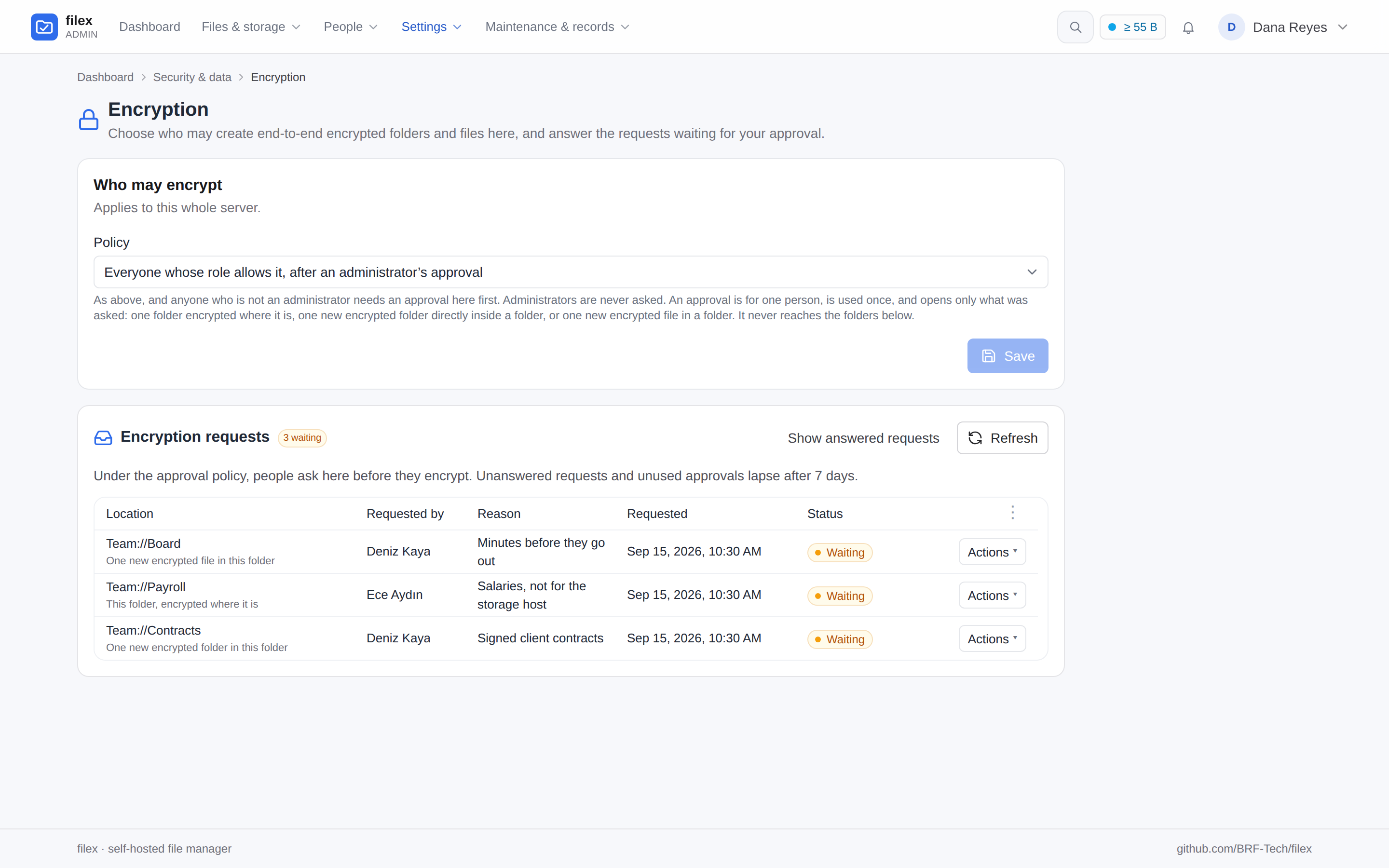 | 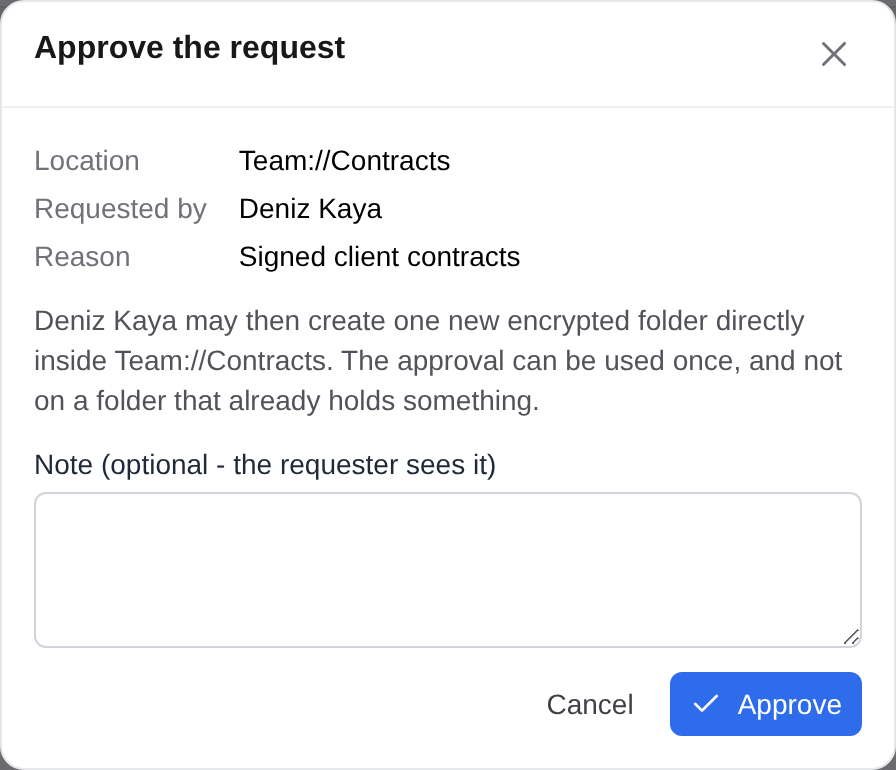 |
Admin → Encryption under approval: the requests waiting, each with its kind, who asked and why. | The answer to a new-folder request says what it opens: one new encrypted folder there, once. |
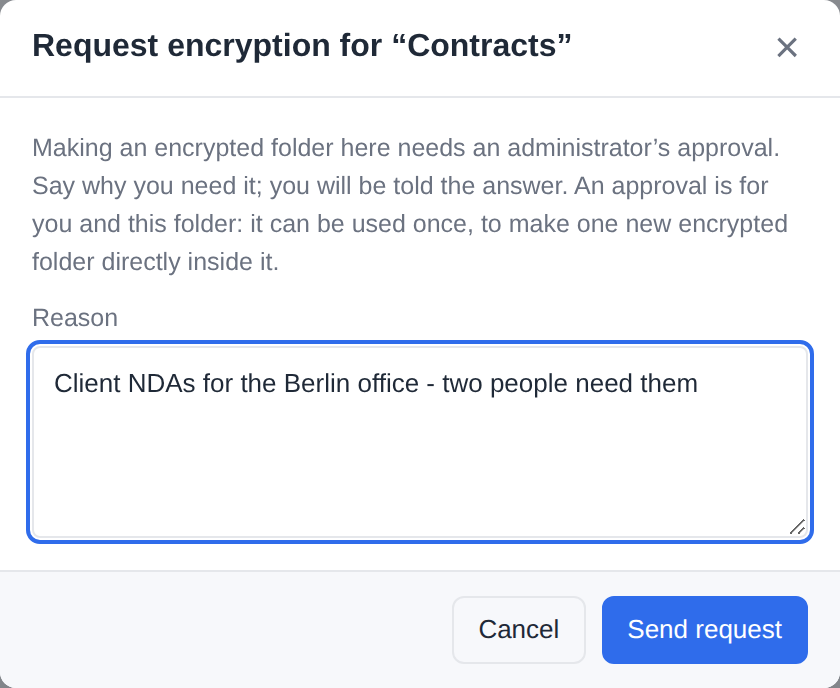 | |
| The person's side: Request an encrypted folder… in the New folder dialog, a reason written. |
Three kinds, each its own. A request is for one of three things, and its approval opens that and nothing else - not another kind, not a folder below the one asked about:
Kind Asked from Opens, once foldera folder's menu (Request encryption…) that folder, encrypted where it is: what it holds is encrypted in place new_folderthe New folder dialog (Request an encrypted folder…), from the folder the person is in one new encrypted folder directly inside it - a folder that is not there yet, or one that holds nothing. Never a folder inside it that holds something: that would be encrypting a team's folder in place on an approval for a new one filea file's menu one new encrypted file in the folder the file is in: the approval is stored under that folder, because the name a .fxeis stored under cannot be known when the person asksA copy of an encrypted folder is a new encrypted folder where it lands, so it spends a
new_folderapproval of the folder it is pasted into.The explorer says what the server does. The explorer asks for the kind it would use (
POST /api/files/e2e/allowedwithkind), and the server answers it from the same list of approvals a create door spends, so the menu offers exactly what the write then accepts. The answers are asked when a folder is listed and remembered per person (an approval decided or spent, or a policy changed, tells the open explorers to ask again), so a row's menu opens on its answer at once; an answer still on its way after 40 ms adds its row at the end of the open menu, so no row moves under the pointer (Menus that hold still).Whom it covers. An approval is for the person who asked, and is spent once, at whichever door creates the name - never by a file request (Where it is asked). A write that fails after the approval was spent does not give it back; the person asks again.
Seven days. A request nobody answers lapses 7 days after it was made, and an approval nobody uses 7 days after it was given. An hourly sweep closes both as
expired, the longest overdue first and in batches, and every list, decision and new request closes what is due first - so a request that lapsed is never approved by mistake. Answering one that lapsed, or one that was answered already, is409 not_pending; the person may ask again.One at a time, twenty at most. Asking again for the same folder and kind while a request waits answers the one already waiting. One person has at most 20 requests waiting at once; the next is refused (
429 too_many_pending) until an administrator answers one or it lapses, so a script cannot bury the administrators in notices. A request is filed only where the rule itself saysrequest(theapprovalpolicy,files.encryptthere, and no approval already waiting), for something that is there (404 path_missingotherwise), of the kind that is there:folderornew_folderfor a folder,filefor a file (BACKEND.md). Two filex instances on one database keep "one waiting" each on their own, so a request asked of both at the same moment can be filed twice; the cap still holds per person.Who answers. The tenant's administrators, and on a single-tenant install the administrators. On a multi-tenant install the platform operator sees every tenant's requests under Admin → Encryption, and answers only the platform's own (the supertenant's): another tenant's is that tenant's to decide, and its row says so (
403 not_decidablefrom the API).
Where it is asked
Every door asks the same question: the web and desktop apps (uploads, single and chunked; the text editor; New document and a draft's save; rename; the queue's copy and move), the agent API (upload, move, MCP file_write and file_move, ShareX, upload tickets, and the doors 0.50 opened: file_copy, archive_create, archive_extract, and app_run through the app's output), file requests, archives (extraction skips a refused member; creating an archive, or adding to one, under such a name is refused), apps (an interface's save as, a job's output), WebDAV, SFTP, FTPS, NFS and S3. The explorer asks ahead (POST /api/files/e2e/allowed, naming the kind) so that it offers only what would be allowed - or, under approval, the request - and the server decides all the same. filex encrypt asks the same question for a server folder before it asks for a password, and says why not in words. The desktop app's folder sync uploads through these doors too, so a local encrypted folder synced into a new place is asked like any other.
A file request is judged for the link's creator: the file lands in their storage as theirs, and the visitor has no account to judge. It never spends the creator's approval, which is for an encryption of their own: under approval a dropped key file or .fxe is refused (approval_required), and the approval stays unused.
A refusal is 403 {"error":"e2e_not_allowed","reason":…,"message":…} with reason one of tenant_disabled, policy_off, admins_only, permission, approval_required; message says it in the reader's language. A file request answers the same error and reason, and its message is the sentence the page gives any file the link does not take. An MCP tool answers an error result naming the reason (a door tool such as file_copy also carries the 403 body in its result). Over a protocol it is that protocol's own refusal, in the table below.
When the rule cannot be decided
If a lookup behind the rule fails - the tenant, the policy, the person's permissions or an approval could not be read - a door does not guess, and does not call it a refusal: the write fails as a server failure. So does a lookup a door makes in order to ask: the storage's row, the account an app writes for, a file request's creator (one that is gone is nobody, and is refused). The rule's own log line, one for each write it could not decide, carries the storage id, the user id and the error, and never the path or a member's name - a file's name can say as much as its contents - so an operator can tell a policy doing its job from a store that is down. That promise covers the rule's own line only: an app job that fails this way is also reported by the queue, which names the output. What the door answers is its own server failure:
| Door | Refused | Could not be decided |
|---|---|---|
| HTTP | 403 e2e_not_allowed | 500 e2e_policy_undecided, with the server's sentence in message (API-ERRORS.md) |
| Agent REST API | 403 e2e_not_allowed (403 RESERVED_NAME for a key file) | 500 {"error":"could not check the encryption policy"} |
| MCP | an error result naming the reason | an error result: "could not check the encryption policy" |
| Upload ticket | 403 e2e_not_allowed | 503 storage_unavailable; the ticket stays valid |
| File request | 403 e2e_not_allowed | 503 storage_unavailable |
| App save as | 403 e2e_not_allowed | 500 save_failed; a job's output fails the job |
| Archive extraction | the member is skipped | the member is skipped |
| WebDAV | 403 | 500 |
| S3 | AccessDenied | InternalError |
| SFTP | SSH_FX_PERMISSION_DENIED | SSH_FX_FAILURE |
| FTPS | 550 | 550, saying "could not check the encryption policy" (the library knows no 451 for uploads) |
| NFS | NFS3ERR_ACCES | a create: NFS3ERR_ACCES too, because the library maps every error of a create to it, and only the log tells them apart; a rename: NFS3ERR_IO |
Audit and notifications
Every step is one audit row: e2e_request.create, .approve, .reject, .expire and .use; e2e_policy.update when a tenant's policy changes and e2e_tenant.update when its ceiling does, each with the value before and after (saving the value that is already stored writes nothing, and leaves no row). A single-tenant install keeps its policy in the e2e.policy setting: written through /api/admin/settings it is recorded as the same e2e_policy.update, not as a bare settings.update. Every change to who may encrypt, and every decision on a request, needs an administrator signed in to the admin panel: an API key gets 403 session_required - on /api/admin/e2e as on the e2e.policy setting, whether it comes by /api/admin/settings, /api/ai/admin/settings or the admin_settings_* MCP tools. The e2e_request.use row keeps the approval as its target and names, in its encrypted field, the folder that was actually encrypted (for an in-place approval P itself, for a new-folder approval of P the new folder inside it, for a file approval the folder the .fxe went into); over a protocol it is the one link between an encryption and the approval that allowed it.
Whoever decides a waiting request is told of it (e2e.request_created), and the person who asked of the answer (e2e.request_decided; a request that lapses tells nobody): NOTIFICATIONS.md. A tenant's request reaches its administrators' bells and not the platform operator's; the platform's own request reaches the supertenant's administrators. Webhooks are the operator's own subscriptions and get every tenant's request, once each. In a person's own notification settings the two switches are offered only where they can reach that person: under the approval policy with the tenant's ceiling on, e2e.request_created to an administrator account and e2e.request_decided to everyone. Anywhere else they are greyed.
⚠ This governs filex's own encryption. It cannot tell a file that was encrypted elsewhere and uploaded as ordinary bytes; versions and backups are the answer to that.
Recovery
There are up to three ways into an encrypted folder, and the folder decides which exist when it is created. Nothing added later can change that, because the wrapped copies live in the marker and each one needs the FMK to make - which needs a key the server never has.
| Way in | Who holds it | Notified? | Exists when |
|---|---|---|---|
| Folder password | The user | - | Always |
| User recovery key | The user | - | The folder was created (or upgraded) from v0.31 on |
| Escrow key | The operator | The folder's owner is notified | Escrow is enabled (at install, or adopted later) and the folder was created after that, or its owner granted it a slot |
The user recovery key
Minted when the folder is created, shown exactly once, and never stored by filex - not in the database, not in the marker, not in browser storage. It opens the folder without the password.
- 160 bits, rendered as 32 Crockford base32 characters in eight groups of four:
XKPT-9M4A-.... Crockford dropsI,L,OandU, and the parser maps the look-alikes back (O→0,I/L→1), so a key read aloud or retyped by hand survives. - It is a password equivalent, not a lesser credential. Anyone holding it reads the folder. Store it somewhere other than the password: a recovery key filed next to the password protects you from forgetting, and from nothing else.
- Losing it is not fatal on its own - the password still works. Losing both is fatal, and filex cannot help.
- A leaked recovery key is revoked by a re-key: change the password with Also replace the folder key ticked, and you get a new recovery key while the old one stops opening the folder. There is no cheaper way - the recovery slot wraps the folder key, and only a new folder key makes an old slot worthless.
Key escrow (optional operator recovery)
Escrow gives the operator of an installation a second way into the encrypted folders created on it. It is off by default, and turning it on is a decision the operator makes once - either before the first boot, or later by adopting it. Either way it applies only to folders created from that moment on.
The shape is deliberately lopsided:
- The operator runs
filex e2e-escrow keygen, anywhere - a laptop is fine. It prints an RSA-3072 keypair and exits. It writes nothing and touches no database. - The public half goes into
FILEX_INSTALLATION_E2E_ESCROW_KEYon the server. It is enough to seal a new folder's FMK to the escrow identity and useless for opening anything. - The private half is the operator's, kept wherever they keep a root password. filex never receives it, never stores it, and cannot recover it.
So a stolen filex database, disk or backup decrypts nothing, escrow or not. When the operator needs the key they paste it into the unlock dialog, in their own browser, where it is used and discarded.
filex e2e-escrow keygen                    # prints both halves, once
filex e2e-escrow keygen --quiet            # public, then private, one per line
Configuration, and why it cannot be changed later: CONFIGURATION.md → Install-time settings.
Using it notifies the folder's owner - or the file's, for a single encrypted file, which carries its own escrow slot and opens with the same key, through the same two requests. The client asks the server for a nonce sealed to the escrow public key, decrypts it with the private half and returns it; only then does the server record the event and notify. That makes the notification evidence rather than a claim - a e2e.escrow_used warning that anyone could POST would be worth nothing. A wrong answer is refused with 403 and notifies nobody.
⚠ From v0.34.0 e2e.escrow_used is also subscribable on its own - tick it on a webhook target in Admin → Webhooks and every escrow unlock reaches whatever you route security events to. It was emitted before, but as an inline event id nothing that reads the catalogue could see, so it could not be selected: a target either took the whole feed or never saw it. Of everything filex emits this is the one most worth its own destination (NOTIFICATIONS.md).
What escrow can and cannot do
Can:
- Open any encrypted folder created (or given a recovery key) while that escrow key was configured, without the folder password and without the user's involvement.
- Do so at any time the operator chooses. There is no approval step, no time-lock, and no way for a user to opt their folder out.
Cannot:
Open a folder created while escrow was off, or under a different escrow key, on the operator's own initiative. Those markers have no usable
escslot, and one cannot be added without the folder password. This is arithmetic, not policy - no configuration change, no admin flag and no future filex version can undo it, and in particular adopting escrow does not reach backwards: it seals folders created after it and nothing else.⚠ The door that does exist opens from the inside only: the folder's owner can grant a slot, with the folder password, from their browser (offering an existing folder a slot). That is a decision by the person who holds the key, not a capability of the operator - the operator can ask, and cannot take.
Be recovered if the operator loses the private key. filex has no copy.
⚠⚠ The honest limits, stated plainly:
- The notification is an announcement, not a control. An operator holding the escrow private key can copy the marker and the ciphertext off the disk and decrypt them offline with a short script - no filex, no request, no notification, no audit row. filex cannot detect this and does not claim to. What the notification guarantees is that the supported path is honest: the escrow unlock in the filex UI will not proceed unless the announcement succeeds.
- An admin can already read anything not end-to-end encrypted. Escrow does not extend their reach outside encrypted folders; it extends it into them.
- Escrow is visible to users before they rely on it.
/api/capabilitiespublishes whether escrow is on and which key id, and the create-folder dialog and the recovery-key dialog both say so in words. That is deliberate: someone deciding whether to put a file in an encrypted folder is entitled to know who else holds a key, and a hidden escrow would make the whole feature a lie. - A user cannot remove the escrow slot from their folder. That is the point of escrow, and it is why it belongs to the installation rather than to a user preference.
Adopting escrow on an installation that already exists
Escrow used to be choosable only in the first second of an installation's life: any later change to FILEX_INSTALLATION_E2E_ESCROW_KEY, including unset → set, stopped the server. That was safe and useless. Nobody decides key-escrow policy before they have a single file, so in practice the switch was one nobody could ever throw - the only way to act on the decision was to throw the data directory away.
An existing installation can now adopt escrow. It takes two variables, not one:
FILEX_INSTALLATION_E2E_ESCROW_KEY=MIIBoj...      # the public half
FILEX_INSTALLATION_E2E_ESCROW_ADOPT=1            # "yes, I mean it"
filex starts, logs the adoption at WARN with the sentence below in it, and records it. _ADOPT is read only while the pinned record has no escrow key, so you can leave it or drop it; it does nothing afterwards.
⚠⚠ Adoption is not retroactive. It cannot be, and no future version will change that.
A folder's master key is wrapped to the escrow identity when the folder is created. A folder that already exists has no such wrapped copy, and writing one needs the folder's master key - which needs the folder password, which the server has never had and cannot obtain. So the day you adopt escrow, your encrypted folders split into two groups:
| Created | Escrow private key opens it? |
|---|---|
| Before the adoption | No, and nothing you do as operator changes that. Its owner can grant it - see below. |
| After the adoption | Yes, and the owner is notified when it is used. |
⚠ "Not retroactive" is a statement about the operator, and it is absolute. It is not a statement about the folder: the person who can open it can hand over a key, which is what filex offers them at unlock. Read e2e_escrow_adopted_at below as the boundary of automatic coverage. A folder whose owner granted a slot is simply no longer described by that boundary - the marker's esc slot is, and always was, the only authority on which key opens which folder.
The record. After an adoption, <data-dir>/installation.json (and the installation.pinned settings row) separates the installation's birthday from the day it gained a second key holder:
{
  "e2e_escrow_kid": "9f2c1a55b4e07d38",
  "e2e_escrow_alg": "RSA-OAEP-256",
  "pinned_at": "2026-09-05T12:02:24Z",
  "pinned_by": "first-boot",
  "e2e_escrow_adopted_at": "2026-11-20T08:30:00Z",
  "e2e_escrow_adopted_by": "env:FILEX_INSTALLATION_E2E_ESCROW_ADOPT",
  "e2e_escrow_adoption_note": "escrow was turned on after this installation already existed; folders created BEFORE e2e_escrow_adopted_at have no escrow-wrapped key, so the escrow key does not open them and no operator action can change that. Each folder's OWNER can grant it from the browser with the folder password"
}
e2e_escrow_adopted_at is the boundary date, and it is the reason the field exists: six months later, "which folders can I open with this key?" has an answer in the data rather than in somebody's memory. No such fields means escrow was there from the first boot, or is off.
What is still refused. _ADOPT is consent to add a key to an installation that has none. It is not an override:
- pointing
..._ESCROW_KEYat a different key still stops the server - old folders would open only with the old private key, new ones only with the new, and nothing on either says which; - removing the key still stops the server - it un-escrows nothing, it only hides the door in the UI while the old private key keeps working.
What a user sees. On a folder created before the adoption, the unlock-without-the-password dialog does not show an Escrow tab, and says why: "This installation has an escrow key, but this folder does not… The escrow key will not open it. Nothing the operator can do changes that… The folder's owner can grant it." A missing tab on its own is not enough: an admin who knows escrow is enabled here reads the absence as a bug, tries the key anyway, and learns the real answer from a failure. The same dialog also names the case where a folder was restored from a different installation and carries that installation's kid.
Offering an existing folder an escrow slot
Adoption covers folders created after it. On an installation that has been running for a while that is nobody's folders - the ones that matter already exist. An escrow key that reaches none of them is a key to an empty room.
So when the installation has escrow and a folder does not, filex asks the folder's owner, at the one moment the folder password exists in a browser: immediately after a successful unlock.
┌─ Give the operator a key to this folder? ──────────────────────────┐
│ This folder was created before key escrow was turned on here, so   │
│ the operator of this installation cannot open it. Right now - while│
│ your password is in memory - filex can seal this folder to the     │
│ escrow key. Your files are not re-encrypted or moved; only the key │
│ file changes.                                                      │
│                                                                    │
│ What this means: the operator gains a second, permanent way into   │
│ this folder, without your password. You are notified when that key │
│ is used, but that notification is an announcement rather than a    │
│ control.  [What escrow can and cannot do]                          │
│                                                                    │
│ Escrow key: a1b2c3d4e5f60718                                       │
│                      [ No, keep it to myself ] [ Give a key ]      │
└────────────────────────────────────────────────────────────────────┘
Nothing happens unless you choose it. Closing the page, navigating away or locking the folder all leave it exactly as it was.
Accepting unwraps the folder master key with the password you just typed and wraps one more copy of it to the escrow public key, in the browser. Only .filex-e2e.json is written; no file is re-encrypted, moved or rewritten, and the password and recovery key keep working unchanged. The key id written into the slot is the installation's current escrow key, read from /api/capabilities - a slot never carries a kid that does not open it.
Declining is a decision, not a delay. It is recorded in the folder's marker as esc_declined and filex stops asking. That record lives in the marker rather than in browser storage on purpose: the unit of the decision is the folder, so the same person opening it from their phone is not asked again, and an answer that vanished when somebody cleared their site data would be no answer at all. It travels with the folder through a move, a backup and a restore, exactly as the key slots do. It holds no key material and hides nothing - its only effect is that filex stops asking.
The way back. Somebody who declines today and changes their mind next month finds Escrow key… in the strip above an unlocked folder. It asks for the folder password again, because by then it is long gone from memory - and because handing the operator a key deserves the same proof of ownership the offer at unlock had.
Where the offer does not appear, ever:
| Situation | Why |
|---|---|
| The installation has no escrow key | There is nothing to offer. |
The folder already has an esc slot | It is already covered. |
| The unlock failed | Accepting needs the password, and somebody who cannot open the folder is the wrong person to ask about its keys. |
| A v1 (pre-v0.31) marker | Those have no slots at all. Their path is the recovery upgrade, which seals an escrow slot in the same step and discloses it in the same prompt. Two offers on one unlock would be two chances to get the disclosure wrong. |
| The owner already declined | Recorded per folder. The Escrow key… button is the way back. |
⚠ This is the only way a v: 2 or v: 3 folder gains an escrow slot after creation, and it requires the folder password, so only its owner can do it. An operator can enable escrow, adopt escrow, and ask - and cannot take.
Folders created before v0.31
Every folder made by an earlier filex uses the v1 marker: no slots, no recovery, the password wraps the DEKs directly.
They keep working, unchanged, with nothing but their password. Forever. The v1 read path is a first-class path in the code, not a migration shim, and the test suite measures it against a frozen copy of the v0.30.1 module rather than a re-creation of it.
They cannot be given recovery retroactively by the server, because that needs the folder password and filex does not have it. There is exactly one moment when it does: the next time you unlock the folder. So that is when filex asks - visibly, in a strip above the listing, with the consequences spelled out:
- Accepting rewrites only
.filex-e2e.json. No file is re-encrypted, moved or rewritten. The new marker keeps the original salt, iterations and verify blob, and recordsfmk: "kek"- the FMK stays defined as the password-derived key, which is why the existing files still open. - You get a recovery key, shown once, exactly like a new folder.
- ⚠ If the installation has escrow enabled, accepting also gives the operator a key to this folder. The prompt says so before you accept. This is the only way a folder gains an escrow slot after creation, and it requires the folder password, so only the user can do it.
- Declining changes nothing at all. The folder behaves exactly as it did, and the offer returns next time - because the risk has not changed.
⚠ After an upgrade the marker is v: 2, which a filex ≤ v0.30.1 cannot parse: it would report the key file as unreadable. The files are untouched and still decrypt with the same password, so a rolled-back deployment loses the recovery UI, not the data.
Feature trade-offs
The server cannot read the content, so every server-side feature that needs to read content is off or limited inside an encrypted folder:
| Feature | Behaviour in an encrypted folder |
|---|---|
| Name search | Works. With encrypted names (level 2) the server cannot match them, so a search started inside the folder runs in the browser: the explorer walks the folder (up to 2,000 subfolders) and matches the decrypted names; a locked folder shows its lock screen instead. A search started outside the folder finds nothing inside it by name. With readable names the server's name search works as before. The .filex-e2e.json marker and long-name sidecars are filtered out of results |
| Recent, Starred, tags, trash, search hits | Rows that sit inside an encrypted folder (the server marks them with e2e_root) are shown by their decrypted names while the folder is unlocked, and as 🔒 Encrypted item while it is not. Opening one takes you into its folder - the lock screen, or the decrypted preview - instead of handing a viewer ciphertext |
| Content search | Does not work - the indexer skips extraction under a marked subtree and for anything starting with the magic, and indexes empty content instead. Nothing is indexed, so nothing can match |
| Thumbnails | Not generated - the thumbnail pipeline marks files under a marked subtree skipped; grid, list and gallery all show a generic icon |
| Preview (text, images, media, PDF) | Works while unlocked - the client downloads the ciphertext, decrypts it in memory and hands a blob URL to the normal viewers |
| Text editing / saving | Off in filex's own viewer - preview is read-only. Saving would write plaintext through the server, so the save-text endpoint is not wired up inside an encrypted folder. An app that asks for encrypted folders edits there (0.56): Editing in an app |
| Open in a new tab | Off - the standalone viewer route fetches raw bytes from the server, which would show ciphertext |
| OnlyOffice | Off - the document server would have to read the file. The backend's config endpoint sniffs the magic and returns 415 file is e2e-encrypted, and the UI does not offer OnlyOffice at all |
| Convert | Off - the action is hidden; ciphertext is meaningless to the converter |
| Apps (an action, Open with an app's interface, a screen) | Off for every app but one you allowed to edit in the browser (the end of this row) - the explorer offers an encrypted file no other app, in its folder and in Recent, Starred, a tag, a search or Shared with me alike, because the server stamps every file row with encrypted; and every app door - an action's run, a screen's event, an interface's read, call and save - answers 403 encrypted. The server decrypts nothing for an app: an interface opened on such a file anyway is told so (FileInfo.encrypted) and gets it read-only, its bytes refused (APP-PLUGINS-API.md → Which rows say encrypted). 0.56: one exception, the browser's - an app whose manifest asks for encrypted_folders (grant files:e2e-plaintext) is offered a file of a folder you have unlocked and edits it in the clear in its own frame, while the server carries only ciphertext (Editing in an app) |
| Share links / file requests | Off - the whole Share entry is hidden, inside the folder and on the folder's own row in its parent (since v0.50), and so is the details panel's Create link, because a recipient would download ciphertext with no way to decrypt it and a file request would store a visitor's upload in the folder unencrypted. The server refuses such a link on every door with 409 E2E_ENCRYPTED - the explorer's Share, POST /api/ai/share and the MCP file_share tool, and a file request through the MCP file_request_create tool (until v0.50 the API minted it anyway). Note this also hides per-item permissions for that folder |
| Password change | Works - Encryption settings… → Change password…, with the current password or the recovery key. A folder with its own key rewrites only its key file; a folder from before v0.31 re-wraps every file's key, resumably. See Changing the password |
| Desktop "keep local" / folder sync pinning | Off - not offered for encrypted folders or their contents |
| Reads over DAV / CLI / ShareX | Return the raw ciphertext (magic and all). Those surfaces have no key and cannot decrypt |
The AI surface (REST /api/ai + MCP) | Says what it sees and refuses what it cannot do: every row of file_list / file_info / file_search carries encrypted: true and e2e_root, the key file is never listed, file_read and /api/ai/download answer 409 E2E_ENCRYPTED instead of ciphertext, and the key file is never written, moved or deleted from there (403 RESERVED_NAME). See MCP.md |
| Writes over DAV / CLI ⚠ | Not encrypted. See below |
| Writes over the AI surface and ShareX | Refused with 409 E2E_PLAINTEXT_REFUSED (since v0.50): file_write, /api/ai/upload, upload tickets, the zip file_zip writes and the files file_unzip extracts, and the same for archive_create and archive_extract. An agent that means it passes allow_plaintext and the bytes are stored unencrypted; ShareX has no such flag |
| Versioning | Works - versions store ciphertext; a restored version decrypts with the same folder password |
| Trash / restore | Works - the bytes are untouched |
| ClamAV | Scans ciphertext, so it finds nothing. Harmless, but do not mistake a clean scan for a scanned file |
| Copy / move | Refused across an encryption boundary (HTTP 409). Inside one encrypted folder it works normally - at level 2 an item moved or copied to another folder gets its name re-sealed for that folder in the same step (folder ids) - and the encrypted folder itself can be moved. See below. ⚠ With encrypted names, a copy or move onto a name that is already taken is refused (409) instead of getting a -copy suffix: a name the server made up could never be decrypted. Rename one of the two first |
| New document / Request files | Off - the server would write the template (or a visitor's upload) in the clear, and name it itself |
| Drag out to the desktop | Off for a file of an encrypted folder or a vault and for the encrypted folder itself, wherever it is listed - its folder, a ⌘K result, Recent, Starred, a tag or a search (0.56; before, a ⌘K result or a row outside its folder went out while a plain folder was open) - in the browser and the desktop app alike: the operating system would save the ciphertext under the plaintext name. A ⌘K result of one is not draggable. Download instead (decrypted), or drag within filex |
| Download a folder | Decrypted, while the folder is unlocked: a zip made in the browser with the plaintext names (Downloading a decrypted copy). Download encrypted copy is the server's zip of the ciphertext; zip the encrypted folder itself from its parent and the key file comes with it, for filex decrypt |
| Upload size | No limit of its own. Up to 200 MB a file is encrypted in one shot (0x01); above, as a STREAM (0x02), encrypted as it is uploaded. A server without the staged upload path cannot take a file over 200 MB into an encrypted folder, and says so |
Single encrypted files (.fxe) | No thumbnail, no content index, OnlyOffice 415, no Convert and no other app (0.55) - the same as a file in an encrypted folder. Preview and download decrypt in the browser; share links and WebDAV hand out the .fxe as it is (the AI surface's share answer says encrypted: true, so an agent tells the recipient a password is needed); the AI surface's file_read refuses it (E2E_ENCRYPTED) |
Editing in an app
filex 0.56. An app whose manifest says
encrypted_folders: {"open": true}, installed with thefiles:e2e-plaintextgrant, edits a file of an unlocked encrypted folder in its own interface. The office editor app edits Word, Excel and PowerPoint documents this way (E2E-OFFICE.md).
The server still never holds the plaintext. The model is CryptPad's: the browser that holds the folder key does the decrypting and the encrypting, and hands the plaintext to the app's sandboxed frame only.
- You open the file (double-click, Open with) while the folder is unlocked. The explorer offers the apps granted
files:e2e-plaintextbeside its own viewer, in the order the administrator's Default apps rule gives the kind - never ONLYOFFICE, never an app without the grant. The browser decides the kind, from the file's name as it reads it: in a folder whose names are encrypted (level 2) the name it decrypted (see The kind is the browser's). - The app asks for the file (
file.read). The explorer fetches it through the app's own read door withe2e=1: the server checks the grant, the administrator's switch and the folder, records the handover (app_plugin.e2e_read) and answers the ciphertext it holds. The explorer decrypts it with the folder key and transfers the plaintext to the frame over the frame's own port - its page keeps no copy, and noblob:address is made of it. - The app saves (
file.save). The explorer encrypts what it hands over with the same folder key - a file of an encrypted folder as its own upload writes it (filexe2e) - and sends only the ciphertext to the app's save door withe2e=1and the file's listing signature (expect). The server refuses a body that does not start like an encrypted file (422 not_encrypted) and a save over a version written meanwhile (412 changed), writes a new version and recordsapp_plugin.e2e_save.
Choose an app… on a file of a folder whose names are encrypted - the name the browser decrypted, the app beside filex's own viewer, no "Always use this app" - and the file open in the app (an example app, written for these pictures):
Editing together. An app also granted files:co-edit (the office editor) edits such a file with the others who open it, as it does in an ordinary folder, through filex's relay (APP-PLUGINS-API.md → Editing together). Only the session's key is different: the browser that starts the session makes it and gives the server only that key sealed with the folder key; each member's browser opens it with the folder key it holds. Every change, cursor and image of the session is sealed with it, so the relay places them in one order without being able to open one - and a person who cannot unlock the folder cannot join. A change not yet placed when the connection goes is kept in your browser sealed with the folder key, never in the clear, and sent when you open the file again.
What the server decides without the key:
| The grant | files:e2e-plaintext, derived from encrypted_folders. The install review says what it means - the app sees every such file opened with it - and an update that starts asking is a new grant (APP-PLUGINS.md). |
| The administrator's switch | apps.e2e_plaintext, on by default (the grant is already the administrator's yes, app by app), seeded once from FILEX_APPS_E2E_PLAINTEXT. Off: both doors refuse every app (403 encrypted), and the explorer offers no app there (capabilities.apps_e2e_plaintext). |
| Where | A file of an encrypted folder, at level 1 (contents) or level 2 (contents and names). Not a vault's (403 encrypted), not a single .fxe. |
| The kind | At level 1 the server holds the app to the kinds its view opens and to the administrator's rule for the kind, by the file's name. At level 2 the stored name is ciphertext and tells it no kind: it holds the app to the grant, the folder, the person's rights (to save: their write right on the file), expect and ciphertext only, and the browser decides the kind (below). |
| What is written | Ciphertext only (filexe2e, version 1 or 2), over the file as the app opened it. |
| The record | app_plugin.e2e_read and app_plugin.e2e_save: who, which app and view, which file - never a byte of it. |
What it means for the plaintext:
- It is in the app's frame, which runs in the sandbox every app interface runs in: no connection of its own, no storage, no cookie. ⚠ The same honest note as for every interface: a page's policy does not cover WebRTC (Chrome's Connection-Allowlist closes it, Firefox the bootstrap - APP-PLUGINS.md → An app's own interface). The grant trusts the app's code with the document.
- While the frame holds such a file, filex lets nothing else leave toward the server: a save-as (a copy elsewhere would leave the folder decrypted) and the app's server-side module (
engine.call,job.submit) answerunavailable, and the server refuses the module the file anyway. - Download as and Print still hand you a copy, on your click or yes - as the explorer's own decrypted download does.
- What the app keeps for itself while it holds the file (
state.set: a recent search, a zoom level) is sealed in the browser - see The app's own store, sealed. It cannot reach the server in the clear as a "setting". - Lock closes the app with the folder: its frame, and the plaintext in it, go - unsaved changes too, so save first. (Editing together, the changes the relay placed stay in the session, sealed, for the next opening or the others' save.)
- At most 200 MiB a file: it is decrypted and encrypted whole in the page.
The kind is the browser's
Which app opens a file is decided by its kind - its extension, against the applies of each app's view and the administrator's Default apps rule for that kind. In a folder whose names are encrypted (level 2) the server stores each name as ciphertext (S, or <H>.fxl), so it cannot tell a .docx from a .png. The kind is therefore decided in the browser, which holds the name key while the folder is unlocked:
- the explorer decrypts the name (as it does for the listing), and picks the apps by its extension - and the MIME type that implies - exactly as for any other file: the views granted
files:e2e-plaintextthat apply to it, the administrator's rule for the kind, the person's own choice, filex's own viewer last (plaintextOpenOfinpackages/core/src/lib/appViewer.ts, the one rule every surface uses, a vault's included); - neither the name nor its extension is ever sent. The app door's read and save name the file by its stored path; Choose an app… does not offer "Always use this app for .ext files" for such a file, because that choice is kept on the account and would tell the server the kind;
- a file whose name the tab could not decrypt (an unreadable name) opens in filex's own viewer: its kind would be a guess;
- the server, which cannot read the kind, does not ask it there: the read door does not ask the administrator's rule for the kind of a stored name that is ciphertext, and the save door does not hold such a save to the kinds the view opens. What it holds them to is the grant, the administrator's switch, an encrypted folder that is not a vault, the person's read right (and, for a save, their write right on the file), the write gates,
expectand ciphertext only. A name in such a folder that the server CAN read (written in the clear over WebDAV, or not reached yet by a level change) is held to its kind as at level 1.
⚠ What this means: at level 2, "this app opens only these kinds" is the browser's promise, not the server's. A person's own browser could hand a granted app any file of the folder - which it can read anyway; the grant is already the administrator's yes to that app seeing such files.
The app's own store, sealed
An app's interface keeps small things for the person with state.set (its own store: 8 KiB a value, 16 KiB an app), in the account's preferences on the server. In an encrypted session - while the frame holds a file of an encrypted folder in the clear - that would be a way for plaintext to reach the server as a "setting". So there the app gets another store:
| Where | The account's preference document, appStateE2e: one ledger per account, app and encrypted folder. Apart from the app's ordinary store (appState): what it keeps in an encrypted session is not there in an ordinary one, nor the other way round. |
| The key | Derived in the browser from the folder key, one per account and app: HKDF-SHA256 over the folder key (for levels 1 and 2 first through AES-256 under it, as a pseudorandom function: the 32-byte GCM output of a fixed, labelled block - the key cannot be exported; a vault's folder key is an HKDF key already), salt filex-app-state, context filex-app-state-v1-key, the account and the app's name. The account is the one the session is signed in as (/api/auth/me, asked with the credential that reads and writes the preferences): a folder key is shared by everybody who may open the folder, and without it the server could copy one member's ledger into another member's preferences and it would open there. The ledger's id comes from the same root and the same account (context filex-app-state-v1-id), so the server cannot tell which folder a ledger belongs to. |
| A ledger | base64url(0x01 ‖ IV ‖ AES-256-GCM(JSON)), the account, the app's name and the ledger's id as associated data: one moved to another account's, app's or folder's place does not open - it reads as empty. |
| Size | The ordinary rules: 8 KiB a value as JSON, and the app's 16 KiB measured on what is stored - encrypted and base64, so about 12 KiB of JSON (too_large before anything is written). The server enforces the same number on the sealed store (413 APP_STATE_TOO_LARGE). |
| Locked | A folder locked while the app is open, or a session whose account cannot be learned: state.get answers an empty store - not an error, the app starts afresh - and state.set answers unavailable (the second with its own sentence, "…this page could not tell which account that is, so nothing was kept" - not the locked folder's). A ledger that does not open (damage, the key of a finished re-key) reads as empty. Mid re-key the previous key's ledger is read, and the first write moves it to the new key. |
In a vault
filex 0.56. The same app, granted the same
files:e2e-plaintext, edits a file of a vault (level 3) you have opened - by the vault's own way, which never touches the server's app doors.
A vault keeps no file the server could hand anybody: its tree is an encrypted index and the contents are packs of one size. So the browser does all of it:
- Offered. The explorer applies the kind rule (each app's
applies, the administrator's Default apps order) to the name it read from the vault's index - the server never learns a vault's names, so it could not choose the app. Never ONLYOFFICE, never an app without the grant. file.read. The explorer's vault engine reads the file from its packs and decrypts it, then transfers the plaintext to the app's frame - the same way it opens the file in its own viewer, minus theblob:copy.file.save. The engine writes what the app hands over as the vault's next generation, a change like any other in the vault: it takes the vault's write lock, uploads packs, commits the index. The save is written only over the version the app read (its content id); a file another writer changed or removed meanwhile is not overwritten or made again.
One writer at a time still holds:
Somebody else writes the vault. The save is refused and you are told in the server's words ("Ayşe is writing this vault…"); the app hears
failed/vault_locked. Save again when they are done.The write lock ends before the commit (taken over, broken, the connection lost): nothing is written - no half-saved file is ever visible - you are told why and what was not saved, and the app hears
failed/vault_lock_lost.The vault is about to lock itself. A minute before the vault's own lock (15 minutes without activity), while the app holds changes it has not saved, filex says so above the app - in the server's words, which the vault's
stateanswer carries (only your browser knows the moment) - with Keep it open, which counts as activity.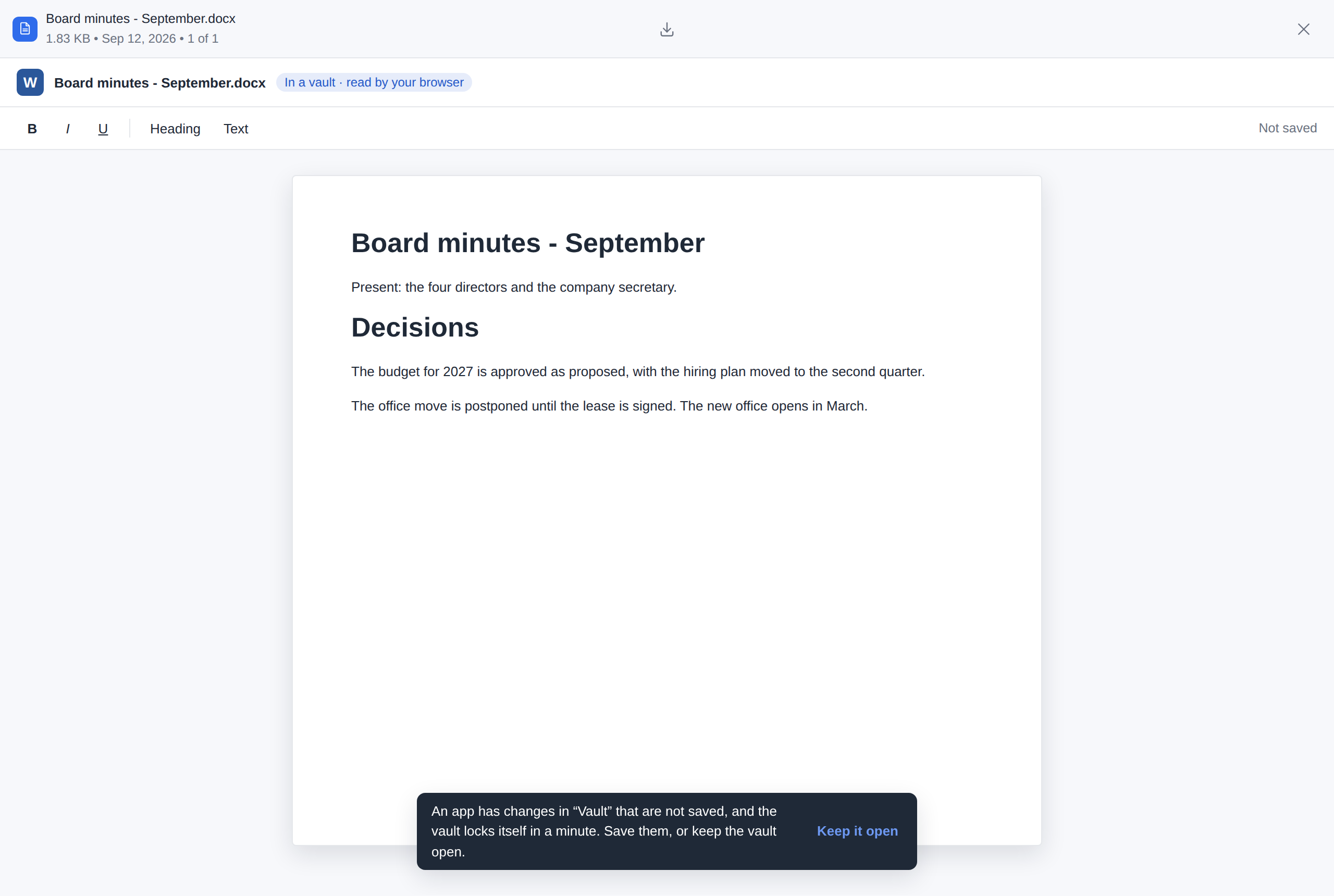
The vault locks - Lock, or the vault's own lock: the app closes with it and its plaintext goes. Changes it had not saved cannot be encrypted any more; you are told which file lost them. An app's read, its save and its saying it holds unsaved changes (
ui.dirty) count as activity.
What the server learns: packs and an index file for each save, under the vault's write lock - as for any change in the vault. Not the file's name, its path, its size or that an app opened it; there is no app_plugin.e2e_* row for a vault (the vault's own vault.lock / vault.unlock rows stay). The server's app doors still refuse a vault's file (403 encrypted): nothing of a vault goes through them. Everything else above - the sandbox, nothing else leaving while the frame holds the file, 200 MiB, the administrator's switch - is the same, and so is the app's own store: in a vault its ledger is sealed with a key derived from the vault's own key (and the account, as for a folder).
Ways plaintext still reaches the server
Encryption happens in the browser, in the filex web UI. Anything that puts bytes into the folder without going through that code path stores them exactly as they arrive - and the server cannot fix this, because it has no key.
⚠ A file written into an encrypted folder over WebDAV or the CLI stays plaintext - its content and its name. It sits in the encrypted folder, looks like it belongs there, and is readable by anyone with server access. In a level-2 folder the explorer at least notices the name: it is shown as written, and Encryption settings → Fix N names renames it. Its content stays plaintext.
✅ The AI surface (REST /api/ai, the MCP tools) and ShareX refuse it (since v0.50): a write into an encrypted folder answers 409 E2E_PLAINTEXT_REFUSED - file_write, /api/ai/upload, an upload ticket (at mint and again at redeem), the archive file_zip writes and the files file_unzip extracts, each member judged before anything lands. An agent that means it says allow_plaintext, and then the file is stored unencrypted, exactly as over WebDAV. The rule is plaintextRefusal in backend/internal/api/handlers/ai_e2e.go.
✅ Copy, move and paste are no longer one of them. They used to be the worst case, because filex's own UI produced it: paste, drag-and-drop and duplicate are server-side byte copies that never touch the crypto, so the explorer would put a plaintext file inside an encrypted folder with no warning at all.
Since v0.31 the server refuses any transfer that crosses an encryption boundary, with 409 and a message naming the file:
| Attempt | Answer |
|---|---|
| Plaintext file into an encrypted folder | Refused - the server has no key, so it cannot encrypt on the way in |
| Encrypted file out of its folder | Refused - it stays encrypted, and outside the folder nothing knows which password opens it |
| Between two different encrypted folders | Refused - each folder has its own key |
| Within one encrypted folder | Allowed |
| The encrypted folder itself, to a plain destination | Allowed - its marker travels with it |
| An encrypted folder into another one | Refused - encrypted folders cannot be nested |
The rule lives in backend/internal/e2e/guard.go and is called from every transfer surface - the async ops queue (web UI paste, drag, duplicate, cross-storage transfer), the synchronous move, and the AI/MCP file_move and file_zip tools (409 E2E_BOUNDARY there) - so it is not something one client remembers and another forgets. A zip of the encrypted folder itself is allowed and carries its key file, so filex decrypt can open it.
Rule: put files into an encrypted folder only by uploading them through the filex web UI, with the folder unlocked. WebDAV and the CLI write surfaces are still unguarded (see Not implemented); the AI surface and ShareX refuse unless told allow_plaintext.
One mitigation is already in place, and it is only a mitigation: a plaintext file that lands in an encrypted folder by one of these routes is still not content-indexed, because the indexer skips the whole marked subtree rather than deciding per file. So it will not leak into the search index - but it is plaintext on disk.
Where names go, and what they are there
With encrypted names the server never has a plaintext name to pass on, so everything below carries the stored (encrypted) name - audited, not assumed:
| Place | What it carries |
|---|---|
| Search index (names and paths), node cache, path hashes, versions, trash keys | The stored name |
Notifications, e-mails, webhooks (writehook events, share and grant mails) | The stored name. A notification about an item in such a folder is marked meta.e2e_root, and the bell and the desktop app show 🔒 Encrypted item - or the real name, where the reader's explorer has the folder unlocked - instead of the ciphertext. A webhook gets the stored name and the mark |
| Audit log, activity, ops list | The stored name and path |
| Realtime (folder changes, presence) | The stored name. Presence used to send the displayed name of the file you had selected; the explorer now sends the stored one |
| AI / MCP tools, share links, zips, replication, storage plugins | The stored name (and the ciphertext) |
| Access log | URL paths only (no query), i.e. stored names on DAV/S3-style URLs |
The exceptions - the things that still reach the server as plaintext - are the encrypted folder's own name (it is not inside itself), and anything a surface that does not encrypt writes (above). Server-side features that invent a name - the -copy of a colliding paste, a desktop-sync conflict copy, a file-request drop folder, a ShareX upload, an archive extraction, a new document - would produce a name nobody can decrypt: the first is refused inside a folder with encrypted names, the web UI does not offer the others there, and a desktop-sync conflict copy of a ciphertext name is simply an entry with a readable (and meaningless) name, shown as such.
Using it
- Create - the New Folder dialog offers Create encrypted folder…, which opens a dialog asking for a name, the password twice (minimum 8 characters) and an acknowledgement of the warning. When the installation has escrow on, the dialog says so before the folder exists. filex then creates the folder, uploads the
.filex-e2e.jsonmarker, and shows the recovery key once - in a dialog that will not close on ESC or a backdrop click until you tick that you have saved it, because there is no second showing. Encrypted folders cannot be nested - the option is not offered inside one. Where your organisation limits who may encrypt, the option is offered only where you may use it, and under the approval policy it reads Request an encrypted folder… instead. - Level - the create dialog lists the levels that work, each with what it means: 1 · Contents only (selected by default; a v2 marker, opens in filex 0.31 and later) and 2 · Contents and names (a v3 marker, opens in 0.48 and later).
- Badge - encrypted folders are drawn with a 🔒 in listings (the backend flags the directory row with
e2e: true). - Unlock without the password - the lock screen carries a Lost the password? Use a recovery key link. It opens a dialog with the recovery-key field, plus an Escrow key tab when both the installation and the folder have escrow. A folder with neither says so, rather than offering a door that is not there.
- Lock screen - entering an encrypted folder, or any subfolder of one, shows a password prompt instead of the listing. The backend adds
e2e_root(the path of the encrypted root) to the listing response; the client fetches the marker from that root and checks the password against it locally. Wrong password → an error in the prompt. Right password → the KEK goes into the in-memory key ring and the listing opens. - While unlocked - a 🔒 strip appears with the folder's level (Contents only / Contents and names), Encryption settings… and Lock. The settings hold the level (changing the level), Change password… and, where the installation has escrow, the escrow slot. Locking drops the FMK and the name key from memory, forgets every decrypted name, revokes the decrypted blob URLs, and brings the password prompt back.
- Upload - transparently encrypted while unlocked (file → encrypt → upload under the same name, or under its encrypted name in a folder with encrypted names). A file over 200 MB is encrypted as a STREAM while it is uploaded. A name a disk could not hold (over 255 bytes, a slash or a control character) is refused.
- Download and preview - transparently decrypted: a download is decrypted as it arrives and saved under the original name, a folder or a selection becomes a decrypted zip, and previews are handed to the normal viewers as a decrypted blob URL.
What it looks like
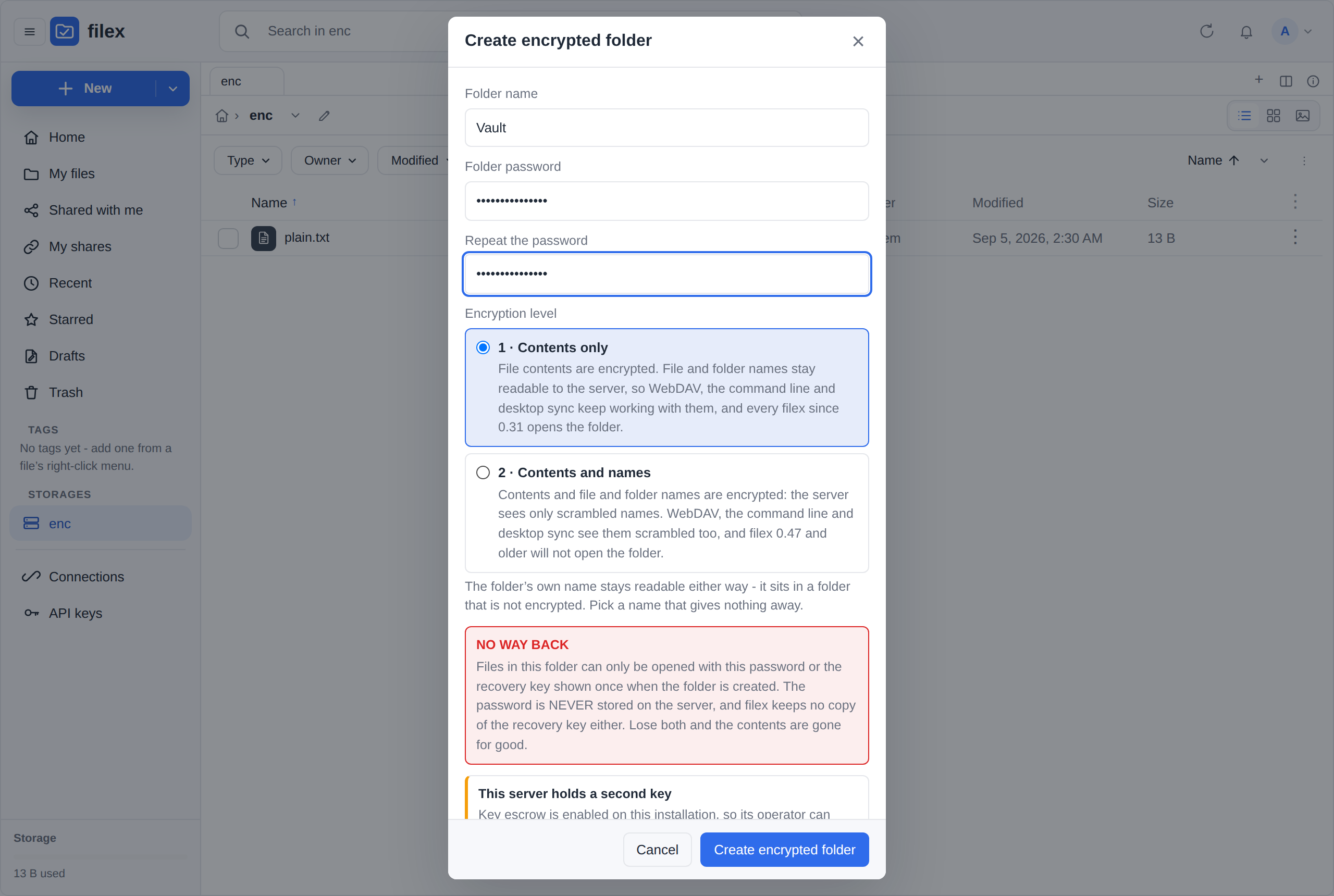 | 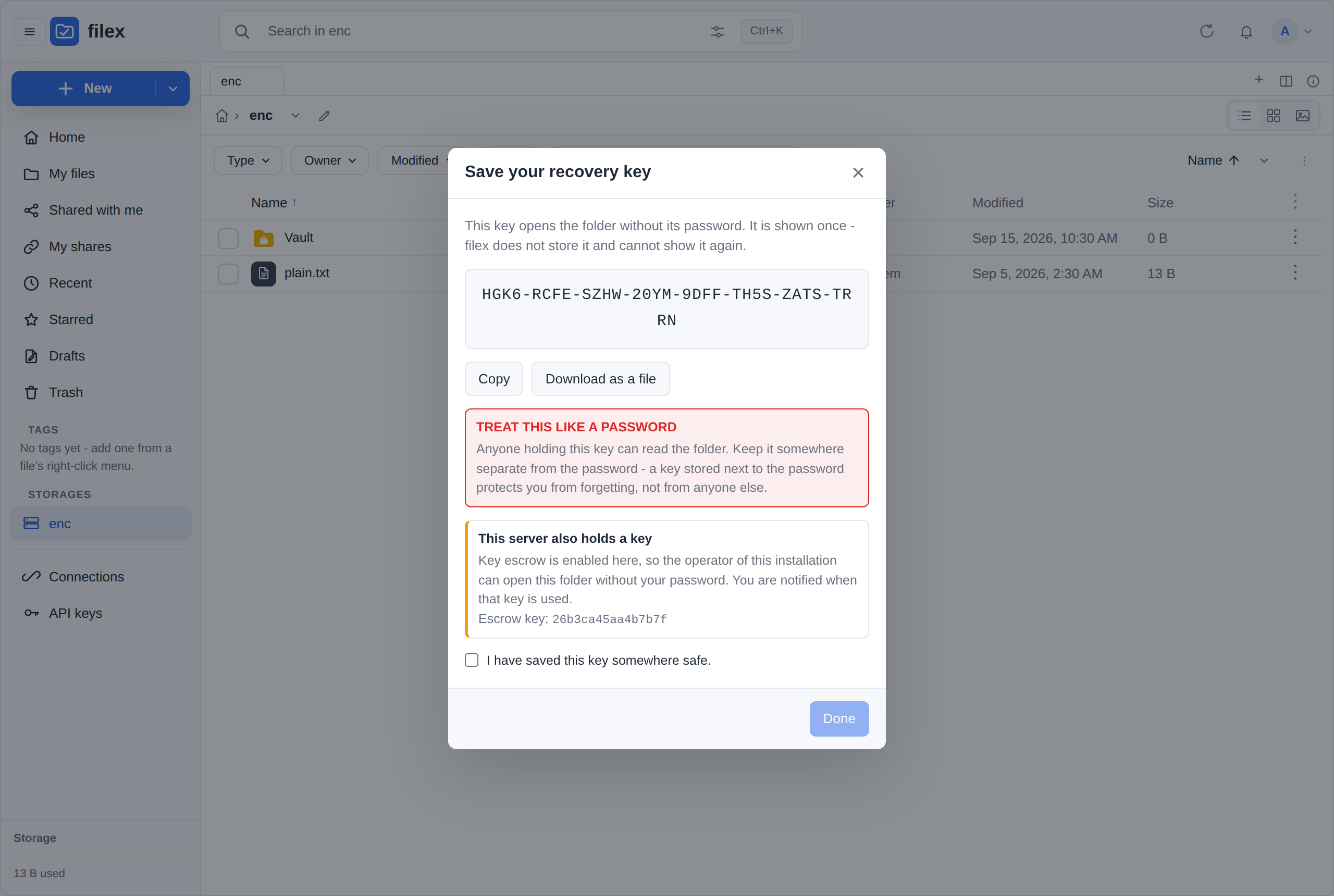 |
| Creating the folder. The escrow notice appears only when the installation has escrow on. | The recovery key, shown once. The dialog will not close until you tick that you saved it. |
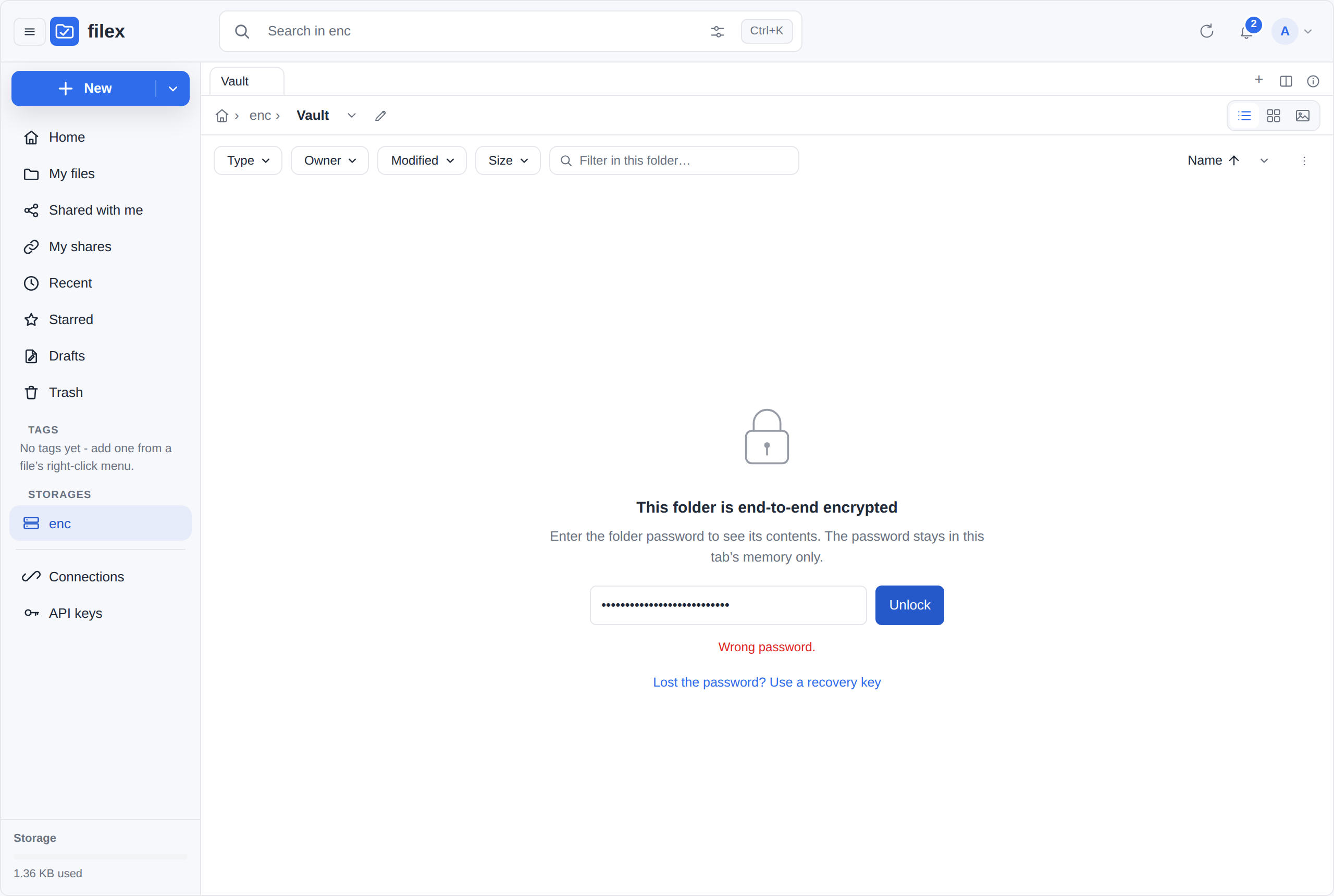 | 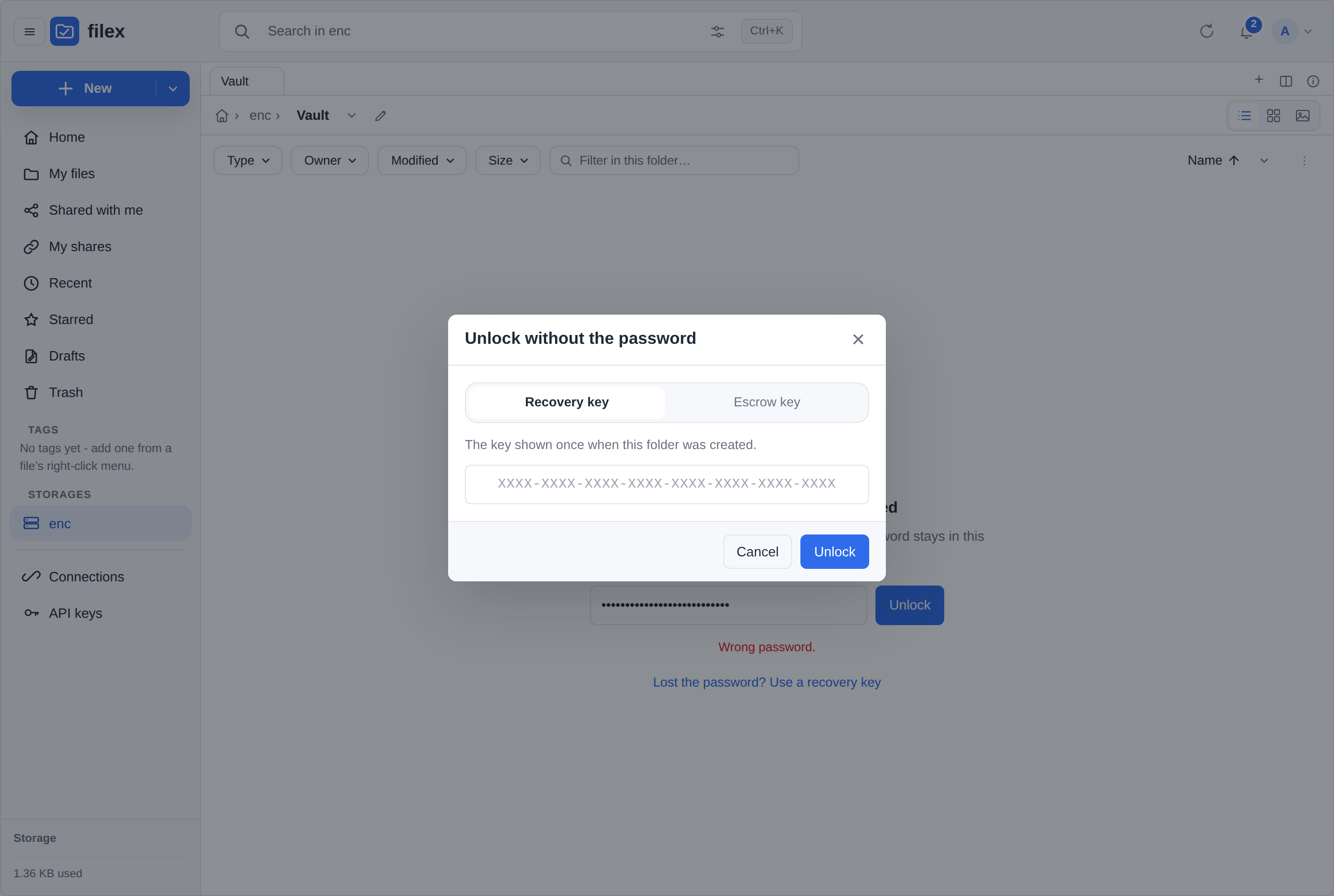 |
| A wrong password, and the way out underneath it. | The recovery-key dialog. The Escrow key tab appears only when both the installation and the folder have escrow. |
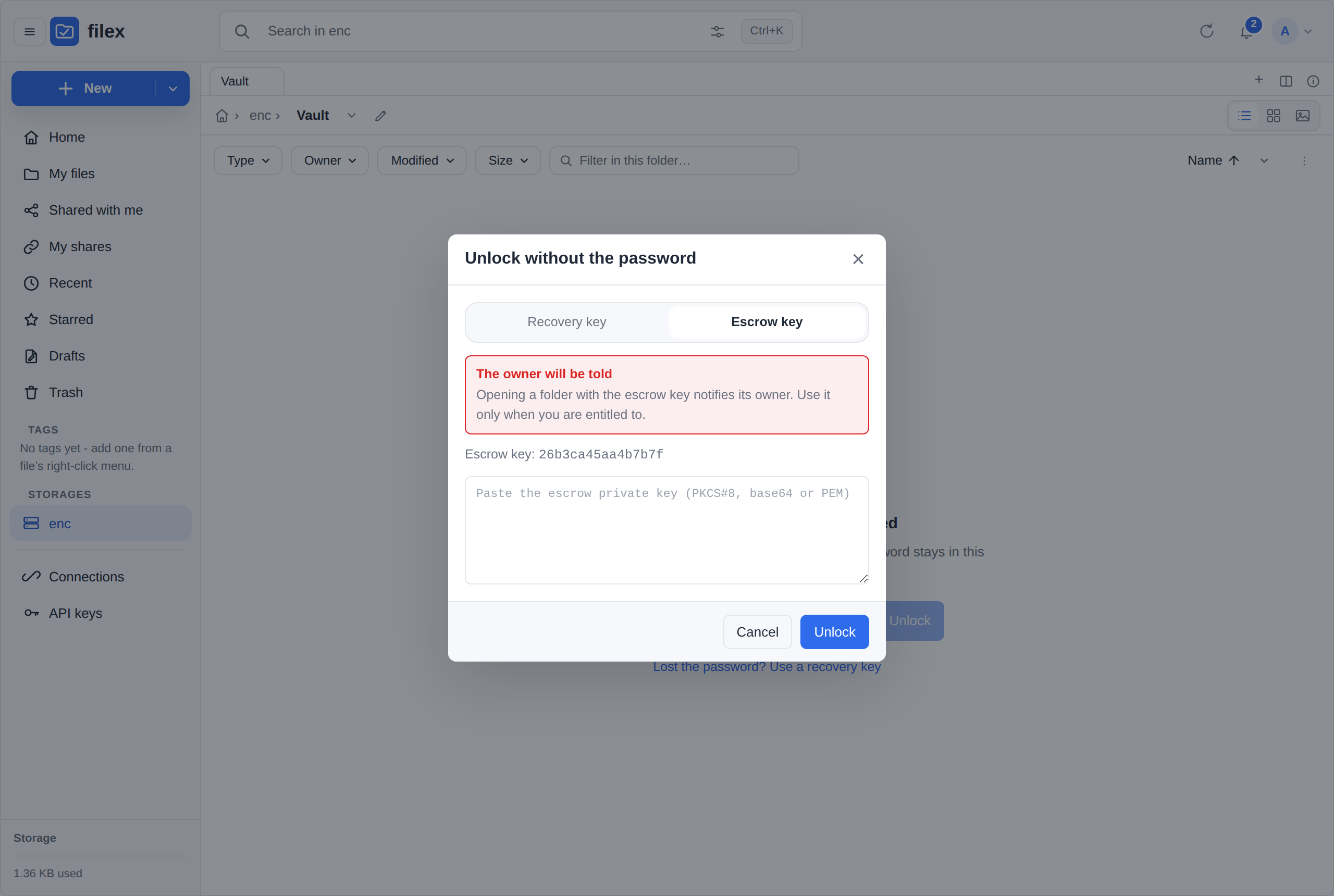 | 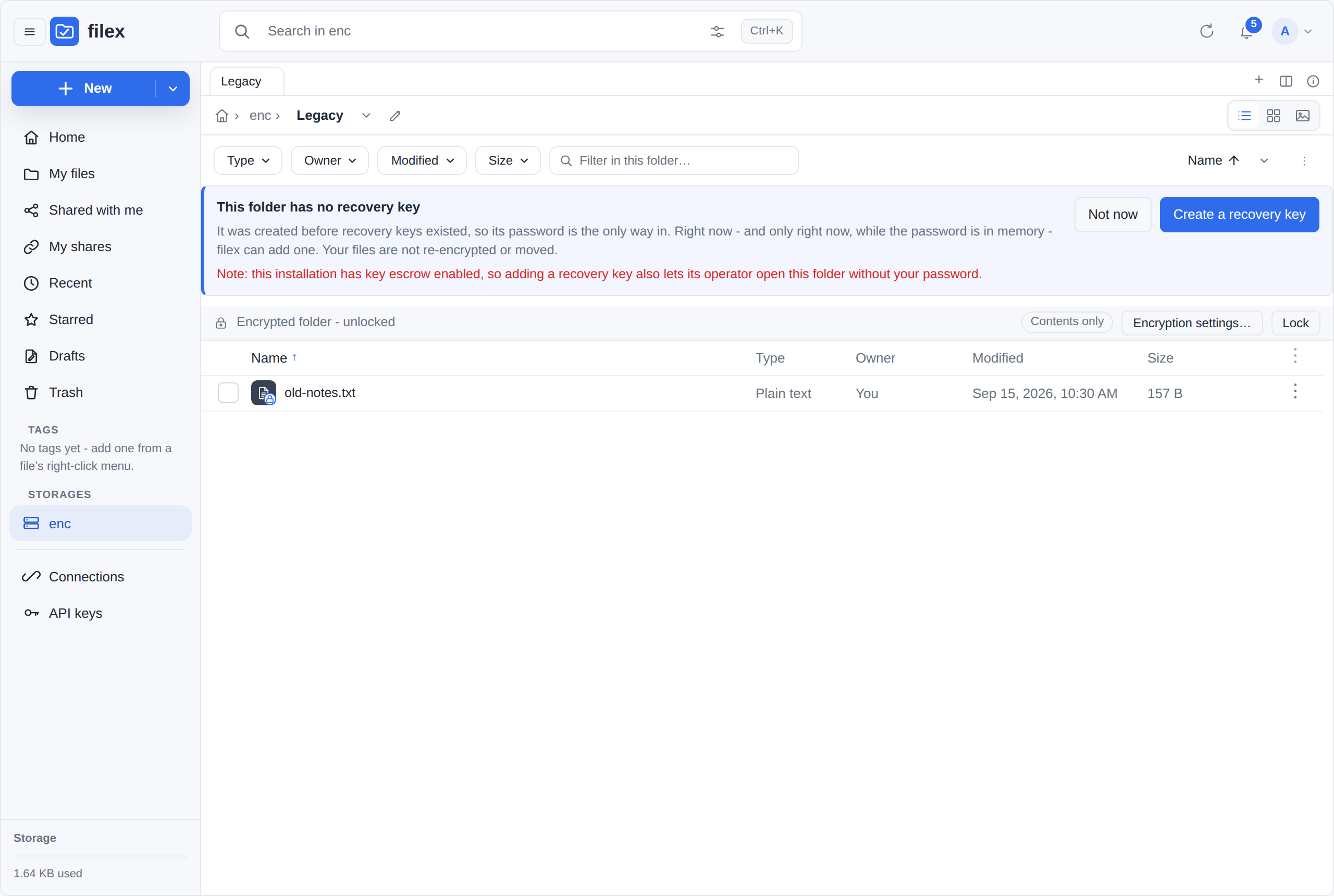 |
| Escrow says up front that the owner will be told. | A folder from before v0.31, just opened by password: the offer is visible, and it discloses the escrow consequence. |
Retake them with node e2e/shots/e2e-recovery.mjs --escrow-private <pkcs8-b64> against an instance booted with escrow on. The same script is the end-to-end measurement of this feature: it creates the folder, loses the password, gets back in with the key, and checks the notification arrived. Encrypted names are measured by e2e/tests/172-e2e-names.spec.ts, which reads what the server stored.
Taking a folder out: filex decrypt
The web UI decrypts one file at a time. To take a whole folder out - or to read your files without filex running at all - download the encrypted folder and decrypt it on your own machine:
- In the folder that holds the encrypted folder, select it and choose Download. The zip contains the ciphertext and
.filex-e2e.json(the key file travels only when the encrypted folder itself is selected; a zip of a subfolder needs--marker). - Run
filex decrypt Kasa.zip. It asks for the folder password without echoing it (--recovery-keyasks for the recovery key instead; with--password-stdinit reads the first line of standard input), and writesKasa-decrypted/with the original names.
It reads every marker version, content-only and encrypted-name folders alike, works fully offline, and writes nothing unless everything decrypted: a wrong password or a damaged file stops it with no partial output. It deliberately does not take the escrow key - the supported escrow path announces itself to the folder's owner, and an offline tool could not. Reference: CLI.md → filex decrypt.
Putting a folder in: filex encrypt
The other direction, and the command-line twin of Encrypt with E2EE…:
filex encrypt ./Kasareads a folder on your machine and writesKasa-encrypted/next to it - the key file and every file encrypted under it - to upload into filex, where it opens with the password.filex encrypt docs://Kasaencrypts a folder on the server, where it is, the way the browser does (above), for folders too big to convert in a tab.
For a server folder it first asks the server whether this account may encrypt it (Who may encrypt) and stops, writing nothing, with the reason in words when the policy says no or wants an approval. It asks for the password twice (or reads it from stdin), shows the recovery key once, and seals an escrow slot where the installation has escrow, as the create dialog does. The key hierarchy and the formats are the browser's, byte for byte: the Go writer (backend/internal/e2edecrypt, beside the reader filex decrypt uses) is held to the same independent vectors as the browser code, and a folder it writes opens with filex decrypt in its tests. Stopped half-way, the same command continues it. Reference: CLI.md → filex encrypt.
Using the building blocks
An integrator that writes into an encrypted folder without the explorer - a desktop app, a migration script, a test - uses the same code the explorer runs, exported by @brftech/filex-core (and nothing else: the server holds no key and offers no encryption endpoint). Every function is WebCrypto and runs in a browser, Node 20+ or Electron.
| Job | Exports |
|---|---|
| Create a folder, unlock it, encrypt and decrypt a file up to 200 MB (level 1) | createEncryptedFolder, parseMarker, unlockWithPassword, unlockWithRecoveryKey, encryptFile, decryptFile |
| Names (level 2): the name key, a stored name for a plaintext one, and back | markerHasNames, unlockNameKey, encryptName, decryptStoredName, classifyStoredName, dirIdOf, effectiveDirId, namePlainProblem |
A file over 200 MB: the STREAM format (0x02), as a stream | encryptFolderFileStream, decryptFolderFileStream, streamFolderFileSize, createStreamEncryptor, createStreamDecryptor, E2E_FILE_VERSION_STREAM, E2E_STREAM_CHUNK_LOG2 |
| Encrypt a folder you already have (above) | runConversion (you give it ConvertIo: list, read, write with a precondition, encrypt) |
| Raise a folder to level 2: re-seal every name under the name key | runNamePass (you give it NamePassIo: list, sidecars, rename) |
A single .fxe: create, read, unlock, a new password | createFxe, readFxe, unlockFxe, decryptFxeBody, changeFxePassword, replaceFxeHeader, rekeyedFxeKey |
Writing one file into a level-2 folder, directly in its root:
import {
  parseMarker, unlockWithPassword, unlockNameKey, encryptName, encryptFolderFileStream,
} from '@brftech/filex-core';

const marker = parseMarker(markerText);              // the folder's .filex-e2e.json
const fmk = await unlockWithPassword(marker!, password);
if (!fmk) throw new Error('wrong password');
const names = await unlockNameKey(marker!, fmk);      // null on a level-1 folder
// A file in a subfolder is sealed under THAT folder's id: dirIdOf(<its stored name>).
const { stored, sidecar } = await encryptName(names!, 'Q3 report.pdf', names!.rootId);
const { stream, size } = await encryptFolderFileStream(fmk, file.size, file.stream());
// Upload `stream` (exactly `size` bytes) under the name `stored`; when `sidecar`
// is set (a long name), write sidecar.content as sidecar.name beside it.
runConversion and runNamePass are the explorer's own walks, not the whole flow around them: the explorer also writes the marker before and after (conv / names.pending, Changing the level) and calls POST /api/files/e2e/cleanup when a conversion is done (Encrypting a folder you already have). A caller that runs them does the same.
What the server knows
There is no encryption or decryption anywhere in the backend. (filex encrypt and filex decrypt ship in the same binary, but they are its command line, run on a user's machine: nothing in the server imports internal/e2edecrypt, and a test keeps it so.) The server only carries awareness of the two artifacts the client leaves behind, so that pipelines stop doing pointless - and potentially leaky - work:
internal/e2e- the marker name, the magic prefix,HasMagicPrefix(), and the ancestor walk (FindRoot()/UnderEncrypted()) that answers "is this path inside a folder carrying.filex-e2e.json?" via a path-hash lookup.- Thumbnails (
internal/thumb/pipeline.go) - files under a marked subtree are recorded asskipped. - Content indexing (
internal/queue/content_index.go) - the marker itself is never eligible; anything under a marked subtree is indexed with empty content; and a magic sniff catches encrypted files that escaped the subtree walk (moved out, or marker deleted later). Empty content is indexed rather than nothing, so the fingerprint records and the node stops re-queueing. - OnlyOffice config (
internal/api/handlers/onlyoffice.go) - magic sniff →415 file is e2e-encrypted. - Listings (
internal/api/handlers/manager.go) - the marker row is hidden from every listing projection; encrypted directory rows are badgede2e: true; and a listing inside an encrypted subtree carriese2eande2e_rootso the client knows to show the lock screen. A cold-cache fallback flags a freshly created folder straight from the driver listing, before the sync run has cached it. - Search (
internal/api/handlers/search.go) - the marker is filtered out of tag listings, index hits and the SQLLIKEfallback alike. - The transfer guard (
internal/e2e/guard.go) - refuses a copy or move that would cross an encryption boundary, from any surface. It compares ancestor markers; it never opens a file. - Escrow, public half only (
internal/e2e/escrow.go,internal/api/handlers/e2e.go) - the installation's escrow public key, published in/api/capabilitiesso the browser can seal new folders to it, and used to seal a challenge nonce so that "the escrow key was used" is provable rather than merely asserted. The server has no private key and cannot open anything. - The install pin (
internal/e2e/installation.go) - records at first boot whether escrow is on and which key, and refuses to start if that later disagrees with the environment. - Which folder a row sits in (
internal/api/handlers/e2e_rows.go) - rows that arrive outside a folder listing (Recent, Starred, tags, the trash, search hits, Shared with me) carrye2e_root, so the client can decrypt their names or say they are locked. A file row of a folder listing, a search answer, Recent, Starred, a tag view and Shared with me (not the trash) also saysencrypted: "folder"or"vault"(the vault rule writegate uses, read from the vault's key file), or"file"for a.fxeoutside both - what an app's interface is told (FileInfo.encrypted), and what an app is refused the bytes of (its interface's read answers403 encrypted) unless it holdsfiles:e2e-plaintextand the browser asks withe2e=1- then it is answered the ciphertext, for the browser to decrypt (Editing in an app, 0.56). The same marker-path lookup as above; the root's own name is already public. For such a door, the server reads the folder's key file only to learn whether its names are encrypted (e2e.NamesEncrypted): if so, a stored name shaped like ciphertext is not held to a kind (The kind is the browser's). - No invented names (
internal/ops/service.go→uniqueCopyDest,internal/e2e→LooksEncryptedName) - a colliding copy or move of a name shaped like an encrypted one, into a folder with a marker above it, is refused instead of being given a-copyname nobody could decrypt. The server cannot tell an encrypted name from a plaintext one that looks like it, so this only ever refuses; it never reads anything. - Password changes (
internal/e2e/slotchange, called byinternal/e2e/keyfilewatchandinternal/e2e/fxewatch) - when a rewrite of a key file or a.fxeheader changes its password or recovery slot, records it in the audit log and notifies the owner, and deletes the earlier versions that open it with the old secret only when the owner or an administrator wrote it. It reads which slots changed - public fields, no key material. (POST /api/files/e2e/password-changed, the web UI's announcement up to 0.53, now answers and records nothing.) - Single encrypted files (
internal/e2e→FileMagicPrefix,HasEncryptedPrefix,LooksEncryptedFile) - thefilexfxemagic is treated likefilexe2ewherever content is sniffed: the content indexer indexes empty content, OnlyOffice answers415, and the thumbnail pipeline skips a.fxeby its name before reading anything and sniffs both magics inopenSource, the one door every generator reads through. - The AI surface (
internal/api/handlers/ai_e2e.go, v0.50) - REST/api/aiand the MCP tools mark every rowencrypted/e2e_root(the same rules as 1, 5 and 10, frome2eRoots.mark), refuse to read ciphertext (E2E_ENCRYPTED), refuse plaintext writes into an encrypted folder withoutallow_plaintext(E2E_PLAINTEXT_REFUSED) and copy no encrypted file out of its folder into a zip (E2E_BOUNDARY, the guard of 7). The key file is one name ininternal/syspath(E2EKeyFile): every listing leaves it out (syspath.Unlisted), and a surface with no key may not write, rename, move or delete it (syspath.Keyless). - Public links (
internal/api/handlers/public_link_rule.go) - one rule for every door that mints one: never for an encrypted folder or anything in it. A.fxeis linked as it is. - The vault (encryption level 3, format; off unless
FILEX_E2E_VAULTis set; the browser, the desktop app,filex decryptandfilex vault mountall open it) -internal/e2e/vault.go,internal/vaultlock,internal/api/handlers/e2e_vault.go. The server orders the commits and keeps everything else out; it reads only what is in the clear: the key file'sv,reqandvaultblock (ParseVaultKeyFile), the names of packs and index files, their sizes, and their plaintext headers (magic, version, kind, pack size, pack id, generation -CheckVaultPackHeader,CheckVaultIndexHeader, a Padmé size for an index). It keeps the write lock in the database (vault_locks, migration 00096): who holds it, from which client, since when, when it was last active, and which generations were committed under it; the token only as its SHA-256. It writes an index file through a temporary file renamed into place and refuses any generation but latest + 1. Inside a vault folder only that API writes:writegaterefuses every other door (the explorer, the queue, the agent API and MCP, archives, apps, the document server's save, WebDAV, S3, SFTP, FTPS, NFS) - each asking the server's one ACL resolver, the only one that knows the vaults (acl.Resolver.AttachVaults) - and the key file keeps itsv,reqandvault(KeepsVaultBlock) and is never removed on its own. Thefilexvltmagic joins the content sniff (HasEncryptedPrefix). The audit log recordsvault.create,vault.lock,vault.unlock(with the reason and the generations) andvault.lock_break. It never sees how many files or folders a vault holds, their names, sizes or dates, or which pack holds which file.
Every one of these is in the category "don't do useless work, and don't open a leak" - none of them can read a byte of your content.
Not implemented
These are known gaps, not scheduled work. They are listed because each one is a limitation you can hit today:
- Hiding the number, the sizes and the shape of the files, by default. At levels 1 and 2 the tree is not encrypted. The vault level hides it, but only on a server where
FILEX_E2E_VAULTis on (off by default), only for a new, empty folder, and an existing folder is never converted to it - format, roadmap. - Its owner purging the original after "Encrypt with E2EE…". It goes to the trash, and its versions stay in its history; only an administrator can delete either for good - the encrypt dialog offers it to one (what the server already saw).
- Streaming a decrypted download over 1 GB in Firefox or Safari. They have no File System Access API; the download is refused, said, and handed to
filex decrypt(where it is saved). - Cleaning up leftover long-name sidecars. A deleted item with a long name leaves its (hidden, harmless) sidecar behind.
- Searching a locked folder, or searching encrypted names from outside the folder. The server cannot; the browser can only once it holds the key.
- Encrypting names written over DAV / CLI / AI. They arrive in the clear (over the AI surface: a folder made with
file_mkdir, or a file written withallow_plaintext); the explorer flags them and can rename them, but only when someone opens the folder. - Sharing an encrypted folder. There is no way to hand a recipient a link that also carries the key, so sharing is simply off - and refused by the server on every door since v0.50 (
409 E2E_ENCRYPTED). - A new recovery key without a new folder key. A leaked recovery key is revoked by a re-key (it issues a new one), which re-wraps every file's key. There is no cheaper "show me a new one": the recovery slot wraps the folder key, so only a new folder key makes the old slot worthless.
- Purging old file versions after a re-key. The key file's own old versions are deleted on a password change; the previous versions of the files keep their old header wrapping (what a password change does not undo); removing them is by hand.
- Escrow at the folder level. Escrow is per-installation and per-folder only in the sense that it applies to folders created after it was enabled. A user cannot opt a folder out, and an operator cannot escrow one folder and not another.
- Detecting offline escrow use. The notification covers the supported path only. See what escrow can and cannot do.
- Editing files in place with filex's own viewer. Preview is read-only inside an encrypted folder. An app that asks for encrypted folders edits there since 0.56 (Editing in an app) - the office editor app among them (E2E-OFFICE.md), in a folder whose names are encrypted too and in a vault (In a vault) - but not a
.fxe, and editing together there is not built yet. - A server-side guard against plaintext writes over DAV / CLI. Copy and move are guarded, and so (since v0.50) are the AI surface and ShareX; a direct write over WebDAV or the CLI is not - see Ways plaintext still reaches the server.
- Re-encrypting on move. filex refuses a transfer across an encryption boundary rather than re-encrypting or decrypting the bytes, because it holds no key to do either with. Move the file by downloading and re-uploading it.
Format reference
Everything a program needs to read or write these folders byte-compatibly - filex decrypt (Go) and the browser (WebCrypto) are two implementations of exactly this, and a third (another client, or the filextext app, whose .fxtxt workspaces use these keys) must follow it to the letter. Normative; where the prose above and this list disagree, this list is right and the prose is a bug.
Common rules
- AES-GCM everywhere below means AES-256-GCM with a 12-byte random IV, a 16-byte tag, and no associated data. A "sealed blob" is
IV ‖ ciphertext ‖ tag, stored as standard base64 with padding (RFC 4648 §4, whatbtoaproduces). - Random bytes come from a CSPRNG (
crypto.getRandomValues,crypto/rand). - The key file is UTF-8 JSON. A program that rewrites it keeps every field it does not understand and never writes a field it does not understand.
- A program that meets a
reqentry it does not understand refuses the folder, naming the feature. It never opens it "read-only".
Password → KEK
- PBKDF2 with HMAC-SHA-256; password = its UTF-8 bytes, unnormalised; salt =
salt, 16 random bytes (base64); iterations =iter, an integer. Writers use 600 000 (never fewer); readers accept 1 … 100 000 000 and refuse anything else. Output: 32 bytes, the KEK. verify= sealed blob of the ASCII stringfilex-e2e-verify-v1under the KEK. A wrong password is a tag failure here and nowhere else.
Folder master key (FMK)
fmk: "wrapped"- 32 random bytes;fmk_pw= sealed blob of the FMK under the KEK.fmk: "kek", and everyv: 1marker - the FMK is the KEK's 32 bytes.
Recovery key
- 20 random bytes, written as Crockford base32 (alphabet
0123456789ABCDEFGHJKMNPQRSTVWXYZ), bits taken most-significant first: 160 bits, exactly 32 characters, shown as 8 groups of 4 joined by-. - Parsing: upper-case; remove whitespace and
-; mapO→0,IandL→1; exactly 32 alphabet characters or it is not a key. - RKEK = HKDF-SHA-256(IKM = the 20 bytes, salt =
rk.salt(16 random bytes), info = ASCIIfilex-e2e-recovery-v1, length 32).rk.blob= sealed blob of the FMK under the RKEK.
Escrow
- RSA-OAEP with SHA-256 (MGF1 with SHA-256, no label); the public key is SubjectPublicKeyInfo DER, base64 (the installation's, from
/api/capabilities);esc.blob= base64 of RSA-OAEP(FMK).esc.kid= the first 8 bytes of SHA-256(SPKI DER), lower-case hex (16 characters).esc.alg=RSA-OAEP-256.
Files
- Per file: a random 32-byte DEK. Header (97 bytes):
filexe2e(ASCII) ‖0x01‖ wrapIV (12) ‖ AES-GCM(FMK, wrapIV, DEK) (48) ‖ dataIV (12) ‖ 16 zero bytes. Then AES-GCM(DEK, dataIV, content) with its tag. Content up to 200 MiB (one shot). A reader skips files without the magic and says so. - Content over 200 MiB: header
filexe2e‖0x02‖ wrapIV (12) ‖ AES-GCM(FMK, wrapIV, DEK) (48) ‖ STREAM nonce prefix (7) ‖ chunk size log2 (1 byte, writers20) ‖ 20 zero bytes (ignored by readers) = 97 bytes, then the STREAM body below. Writers use0x02only above 200 MiB; readers accept it at any size. A reader that meets another version refuses the file, naming the version.
STREAM
- Key: a 32-byte DEK, AES-256-GCM. Plaintext cut into chunks of 2^log2 bytes; the last is 1 … 2^log2 bytes, and 0 bytes only when the whole plaintext is empty (then there is exactly one chunk).
- Nonce of chunk
i(0-based): the 7-byte prefix ‖ias uint32 big-endian ‖ one byte0x01for the last chunk,0x00for every other. At most 2³² chunks. - Each chunk: AES-GCM(DEK, nonce(i), chunk) = ciphertext ‖ 16-byte tag, no associated data; the body is the chunks back to back.
- A reader knows the last chunk by the end of the input: a body that ends with fewer than 16 bytes, or with a bare 16-byte chunk after a full one, is refused. Readers accept log2 from 10 to 24.
Single encrypted file (.fxe)
filexfxe(ASCII) ‖0x01‖ header lengthH(uint32 big-endian, 1 … 65 536) ‖ the header, UTF-8 JSON ‖ the STREAM body.- Header: the password slot (
salt,iter,verify),fmk: "wrapped"andfmk_pw(a random 32-byte file master key), optionallyrkandesc- each exactly as in a folder marker, above. Thendek: sealed blob of the DEK under the file master key;name: sealed blob of the original name (NFC, UTF-8; the same rules as an encrypted name) under the file master key;chunk: the STREAM log2;nonce: base64 of the 7-byte prefix;size: the plaintext length, which the body must match exactly. - Unknown fields are kept on rewrite; an unknown
reqentry refuses the file. A reader that meets another version byte refuses the file.
Names (feature names)
names.key= sealed blob of a random 64-byte name key under the FMK.- Cipher: AES-SIV (RFC 5297) with the 64-byte key: the left 32 bytes key S2V (AES-256-CMAC), the right 32 bytes key CTR. Associated data: one string, the 16-byte id of the folder the name is in.
- Folder ids: 16 bytes. The encrypted root's is
names.root_id(base64url, random). A folder's is theDits stored name carries. A folder whose stored name carries none (a plaintext name) hasSIV(name key, NFC(name), AD = [parent id, ASCII "filex-e2e-dir-id"])[0:16]- the synthetic IV. A new folder gets 16 random bytes (filex encryptgives a folder it writes from disk this derived id instead; a reader takes the id from the stored name either way); renaming or moving a folder never changes its id. - Plaintext: the name normalised to NFC, UTF-8, 1-255 bytes, and never
.,.., containing/,\or a C0 control or DEL. A reader treats a decrypted name that breaks these rules as unreadable. - Stored:
S= base64url, no padding (RFC 4648 §5) ofSIV ‖ ciphertext. A file is stored asS, a folder asS.D(D= base64url of its id, 22 characters). If that is longer thannames.long(220) characters:H.fxl(a file) orH.fxl.D(a folder),H= base64url-no-padding(SHA-256(Sas ASCII)), and a sibling fileH.fxl.nameholdingS(readers trim surrounding whitespace and check the hash). - A file-shaped stored name (
S) that does not pass the SIV tag was never encrypted: show it as it is. A folder-shaped (S.D) or long name that does not pass it is unreadable here - moved in from another folder without being re-sealed, or damaged; a reader that knows the other folder ids may try them.
Conversion (feature conv)
conv={"pending": true, "started": <ISO time>, "cleanup": {"versions": bool, "trash": bool}}while an existing folder is being encrypted in place; files without the magic are plaintext not reached yet (a reader copies them as they are, and says so). Removed - andvback to 2 when nothing else is required - when every file carries the magic.
Re-key (feature rekey)
rekey.from= sealed blob of the previous FMK (32 bytes) under the current FMK;rekey.pending=true. A reader tries the current FMK first and the previous one when a DEK does not unwrap.
What to reuse, for a program that is not a folder (a single encrypted document): the password → KEK derivation with its verify blob, the random FMK wrapped as fmk_pw, the recovery-key format and its HKDF slot, and the file header and content encryption. A folder's names, rekey and marker versioning are folder-specific; a new container gets its own magic and version byte rather than reusing filexe2e with a different meaning - which is what the .fxe above does (filexfxe).
The vault (level 3, built, behind FILEX_E2E_VAULT) has its own reference, with its own magic (filexvlt): E2E-VAULT-FORMAT.md.
See also
- SEARCH.md - name vs. content search, and the content index
- SHARING.md - share links and file requests (both off here)
- thumbnails.md - the thumbnail pipeline and its skip states
- PROTOCOLS.md / WEBDAV.md - the non-web surfaces that write plaintext
- TRASH-VERSIONING.md - both keep working on ciphertext
- RBAC.md - permissions, which are independent of encryption
- PERMISSIONS.md -
files.encrypt, the permission to start encrypting (who may encrypt) - CONFIGURATION.md -
FILEX_INSTALLATION_E2E_ESCROW_KEYand why install-time settings are frozen